 DayPilot
JavaScript Calendar: Use the Zoom Feature to Magnify the Calendar Grid
You can use the zoom feature in the Calendar to define custom magnification levels. Users can zoom using a slider or the [-] and [+] buttons.
May 20, 2026
React Calendar: Rendering JSX in Events
How to render custom JSX components in events displayed by the React Calendar component.
May 20, 2026
Tutorial: Machine/Production Job Scheduling Web Application (Spring/Java)
Tutorial with source code - a web application for scheduling dependent machine/production jobs, implemented in Spring Boot (Java).
May 19, 2026
JavaScript Scheduler: Select a Time Range over Multiple Rows
The JavaScript Scheduler allows selecting a time range over multiple adjacent rows at once.
May 14, 2026
JavaScript Scheduler: Copy Multiple Events
Copy multiple Scheduler events using copy & paste or using drag and drop.
May 14, 2026
Vue Timesheet
Learn how to use the Vue Scheduler component to add a drag-and-drop timesheet UI to your Vue application, calculate daily totals and style the timesheet using CSS.
May 14, 2026
React Scheduler: Visually Connect Tasks using Links
Links can be used to display relationships between tasks in the React Scheduler UI component. Learn about the most common use cases and configuration options.
May 14, 2026
React Gantt Chart Tutorial
Simple React application that displays a project schedule using a Gantt Chart component.
May 14, 2026
JavaScript Scheduler: Limit Time Range Selection (Min/Max)
How to limit drag and drop time range selection to the specified number of cells.
Apr 23, 2026
JavaScript Scheduler: Using Checkboxes to Select Rows
How to select Scheduler rows using checkboxes displayed in the row header.
Apr 21, 2026
JavaScript Yearly Calendar
How to configure DayPilot JavaScript Calendar to create a custom view that displays a yearly calendar where each column represents one month, and each cell represents one day.
Apr 21, 2026
ASP.NET Core Field Service Scheduling: Tasks, Routes, and Travel Time
How to implement a field service scheduling application in ASP.NET Core, with visual representation of travel time, route planning, and real-time constraint enforcement.
Apr 21, 2026
JavaScript Scheduler: Customized Snap-to-Grid
How to implement custom snap-to-grid rules in the JavaScript Scheduler component.
Apr 21, 2026
JavaScript Scheduler: Using Split Resources to Manage Task Priorities
How to configure the JavaScript Scheduler component to display a dedicated sub-row for each priority level. This allows you to group tasks with the same priority and display them at the same position within a row.
Apr 21, 2026
JavaScript Scheduler: Undo/Redo
Client-side undo/redo implementation for the JavaScript Scheduler built with DayPilot Lite. Displays the full action history and the current position in the list.
Apr 20, 2026
JavaScript Scheduler: Column Summary and Availability Chart
How to display a column summary with resource utilization and availability details in the JavaScript Scheduler component. The utilization is also displayed using a bar chart at the bottom of the Scheduler grid.
Apr 20, 2026
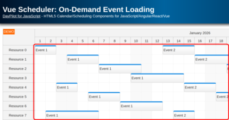
Vue Scheduler: On-Demand Event Loading
How to enable on-demand event loading in the Vue 3 Scheduler component. The sample uses the current Vite-based frontend and loads events for the current viewport during scrolling.
Apr 20, 2026
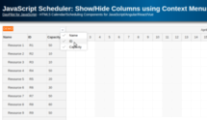
JavaScript Scheduler: Show/Hide Columns using Context Menu
How to add a context menu to the JavaScript Scheduler header that will let users toggle column visibility.
Apr 20, 2026
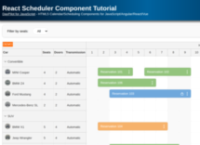
React Scheduler Component Tutorial
Add a scheduler UI component to your React 19 application using the current DayPilot builder template. Covers one-year timeline setup, row headers, filtering, drag and drop, and context menu customization.
Apr 20, 2026
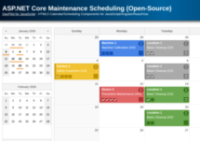
ASP.NET Core Maintenance Scheduling (Open-Source)
How to create a visual, color-coded, and easily adjustable maintenance schedule in ASP.NET Core using DayPilot Lite, the open-source calendar/scheduling UI library.
Apr 19, 2026