 DayPilot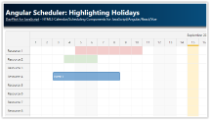
Angular Scheduler: Highlighting Holidays
Angular tutorial that shows how to highlight global and resource-specific holidays in the Angular Scheduler UI component.
Jan 16, 2026
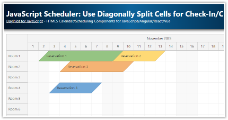
JavaScript Scheduler: Use Diagonally Split Cells for Check-In/Check-Out
Learn how to modify the reservation edges to split the start and end cell diagonally. This provides a visual hint that the check-in and check-out days are only partially occupied.
Jan 14, 2026
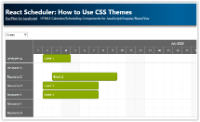
How to Use CSS Themes with the React Scheduler Component
Learn how to change a React Scheduler CSS theme, create and apply your own theme and override individual styles.
Jan 9, 2026
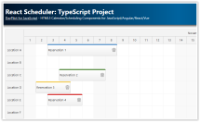
React Scheduler: TypeScript Project
This tutorial shows how to use the React Scheduler component to create a reservation application in React, using TypeScript language.
Jan 7, 2026
Next.js Scheduler with DayPilot: A Step-by-Step Guide
Learn how to incorporate the React Scheduler in a Next.js application, focusing on configuration, event handling, and using the direct API.
Jan 6, 2026
JavaScript Scheduler: Date Picker in the Upper-Left Corner
How to embed a calendar icon in the upper-left corner of DayPilot Scheduler, hook it up to an inline DatePicker, and update the visible timeline.
Dec 14, 2025
How to Add Custom Progress Bar to React Scheduler Events
The React Scheduler component allows customization of event content. This tutorial shows how to add a custom progress bar using event active areas.
Dec 7, 2025
JavaScript Scheduler: Use Custom Button to Scroll to Next Event
How to implement Previous and Next buttons that find the nearest event outside the current viewport of the JavaScript Scheduler component.
Dec 2, 2025
JavaScript Scheduler: Zoom (Open-Source)
How to change the zoom level of the JavaScript Scheduler component in real time using a slider and (+)/(-) buttons.
Dec 1, 2025
JavaScript Scheduler: How to Integrate a Date Picker
How to link the JavaScript Scheduler component to a date picker that can change the visible date.
Oct 10, 2025
Vue Scheduler: Undo/Redo for Drag and Drop Actions
How to add "Undo" and "Redo" buttons to the Vue Scheduler. The UndoService maintains history of changes and allows unlimited undo/redo.
Oct 6, 2025
JavaScript Scheduler: Read-Only Mode
How to switch the JavaScript Scheduler to read-only mode (disables all drag-and-drop) and how to disable drag-and-drop for specific events.
Oct 5, 2025
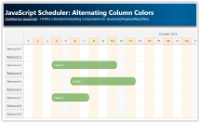
JavaScript Scheduler: Alternating Column Colors
How to set alternating colors for JavaScript Scheduler columns (time headers and grid).
Oct 4, 2025
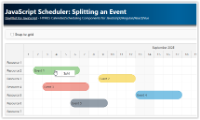
JavaScript Scheduler: Splitting an Event
How to split events in the JavaScript Scheduler at a specified location using the right-click context menu.
Sep 24, 2025
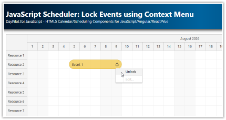
JavaScript Scheduler: Lock Events using Context Menu
How to lock events displayed in the JavaScript Scheduler using a dynamic context menu. The Scheduler will not allow editing the locked events.
Sep 23, 2025
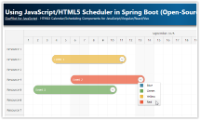
Using JavaScript/HTML5 Scheduler in Spring Boot (Open-Source)
Source code of a Spring Boot web application that uses HTML5/JavaScript scheduler to display events for multiple resources.
Sep 19, 2025
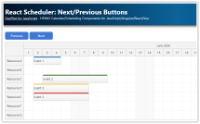
React Scheduler: Next/Previous Buttons
Add "next" and "previous" buttons to your React application and let users switch the month displayed by the Scheduler component.
Sep 18, 2025
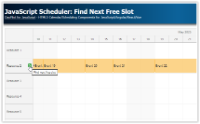
JavaScript Scheduler: Find Next Free Slot
Add an icon to the JavaScript Scheduler row headers that will let users scroll to the next free slot in the row.
Sep 18, 2025
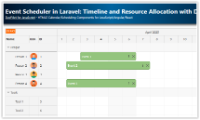
Event Scheduler in Laravel: Timeline and Resource Allocation with Drag-and-Drop UI
Learn how to build an interactive scheduling application in Laravel using the DayPilot JavaScript Scheduler with a dynamic timeline, draggable events, and resource grouping.
Mar 30, 2025
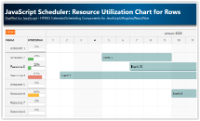
JavaScript Scheduler: Resource Utilization Chart for Rows
How to dynamically calculate the utilization percentage for each resource and display a chart with utilization details in the Scheduler row headers.
Mar 20, 2025