DayPilot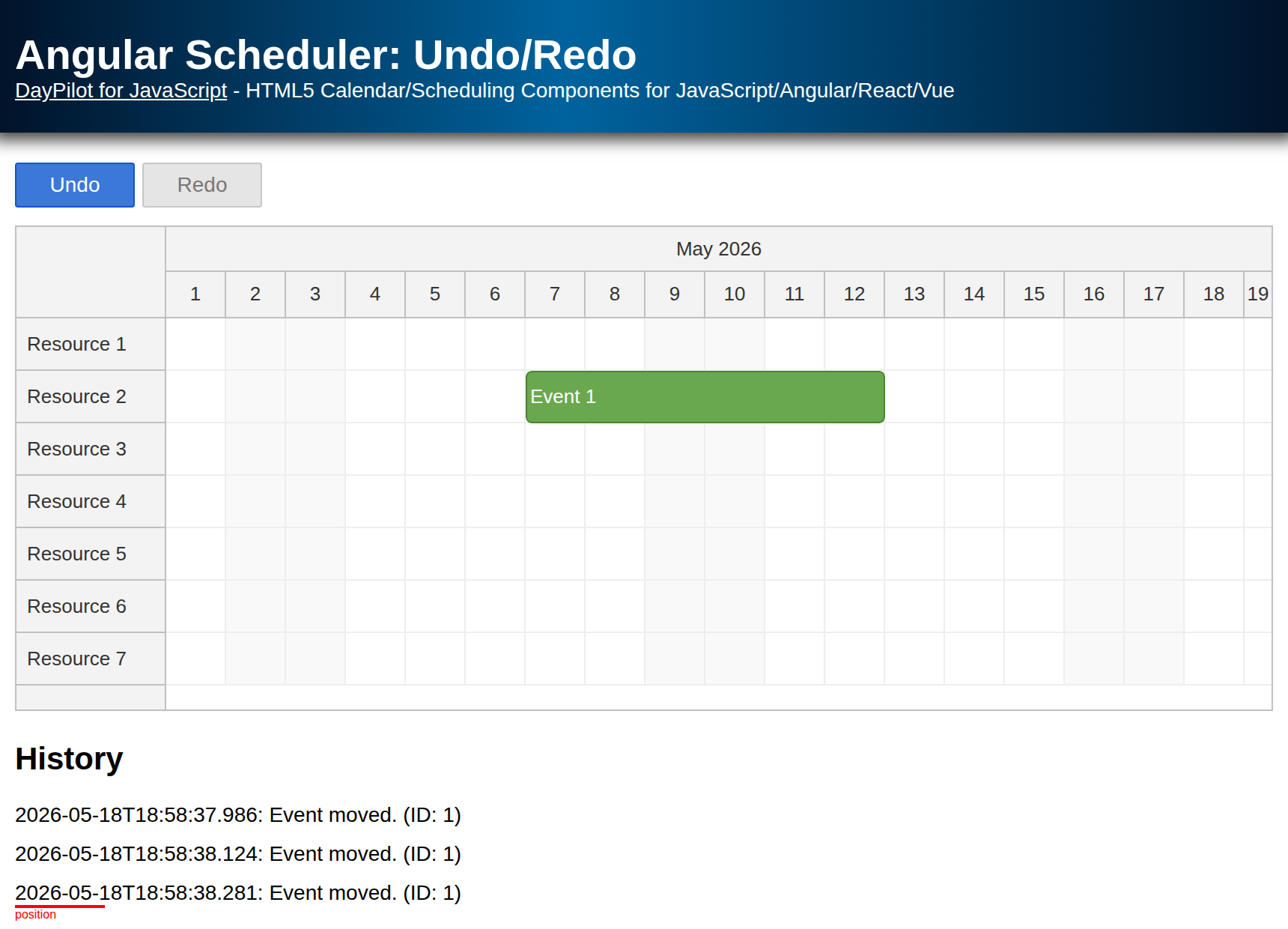
| Demo | |
|---|---|
| Downloads | |
| Repository | |
| Languages | TypeScript |
| Technologies | angular |
| Code License | Apache License 2.0 (Open-Source) |
Features
Client-side implementation of an undo/redo queue for the Angular Scheduler component from the open-source DayPilot Lite for JavaScript library
Unlimited undo/redo steps
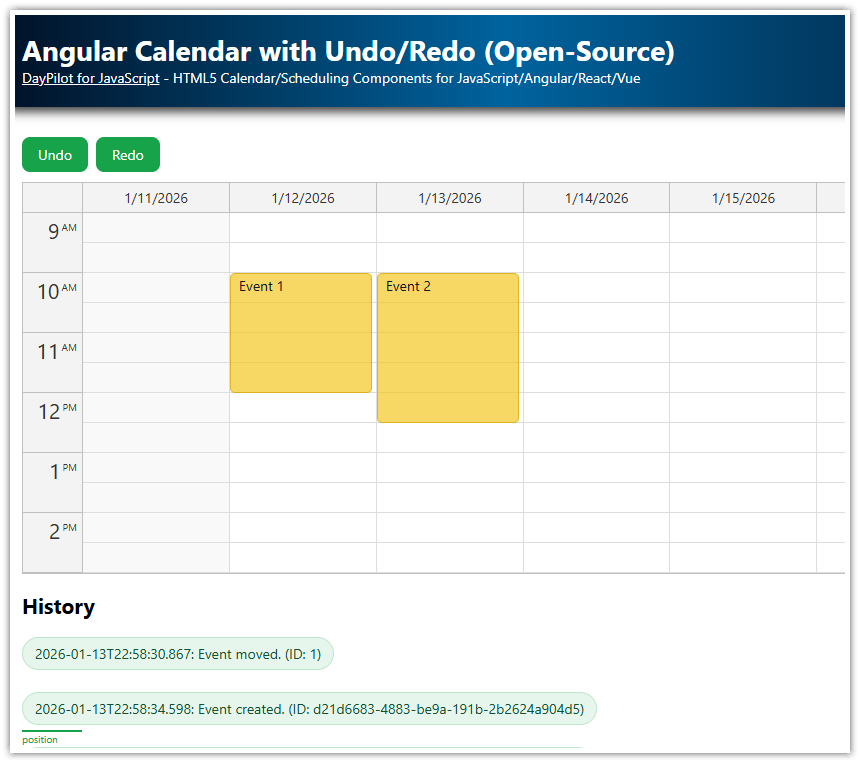
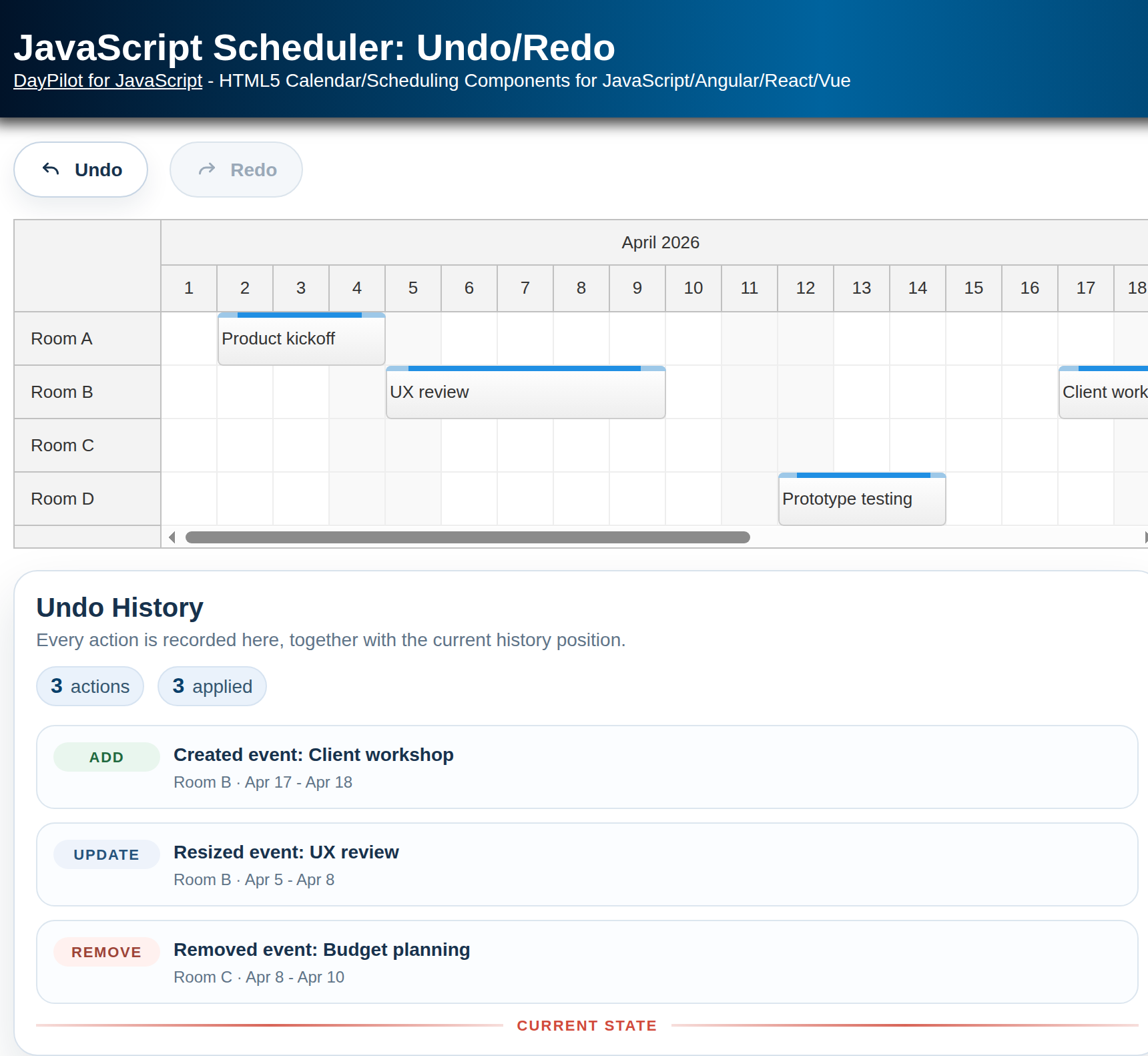
Displays the action history and current position
Supports event creating, moving, resizing, and deleting
Project Initialization
Download the Angular and DayPilot dependencies by running npm install in the project directory.
Running the Angular Project
You can run the project using npm:
npm run startThis command starts a local Angular development server at http://localhost:4200.
Angular Scheduler Configuration

The installation and configuration of the Angular Scheduler component is not covered by this tutorial. For an introduction and a boilerplate Angular project, please see the following tutorial:
When starting with a project generated using DayPilot UI Builder, the Scheduler component is already configured. This tutorial adds an undo/redo service, toolbar buttons, and a small history view to that component.
Scheduler Undo Service API
The project includes an UndoService class that provides an undo/redo queue for tracking event changes in the Scheduler control.
The implementation is generic and can be used for any object that meets the following conditions:
the object has an
idproperty with the type of number or stringthe object is serializable using
JSON.stringify()
initialize(items: Item[]): void
Initializes the UndoService instance with the initial state of all events. It must be called before registering user actions.
add(item: Item, text?: string): HistoryItem
Registers an "add" action.
update(item: Item, text?: string): HistoryItem
Registers an "update" action.
remove(item: Item, text?: string): HistoryItem
Registers a "remove" action.
canUndo(): boolean
Returns true if "undo" is possible. It is exposed as a computed signal and can be used to enable or disable the Undo button.
canRedo(): boolean
Returns true if "redo" is possible. It is exposed as a computed signal and can be used to enable or disable the Redo button.
undo(): HistoryItem
Performs "undo" on the internal state and returns a HistoryItem object with action details so the action can be reverted in the Scheduler.
redo(): HistoryItem
Performs "redo" on the internal state and returns a HistoryItem object with action details so the action can be replayed in the Scheduler.
history(): HistoryItem[]
Returns the full undo/redo queue with action details.
position(): number
Gets the current position in the undo/redo queue.
Using Undo Service with Angular Scheduler Component
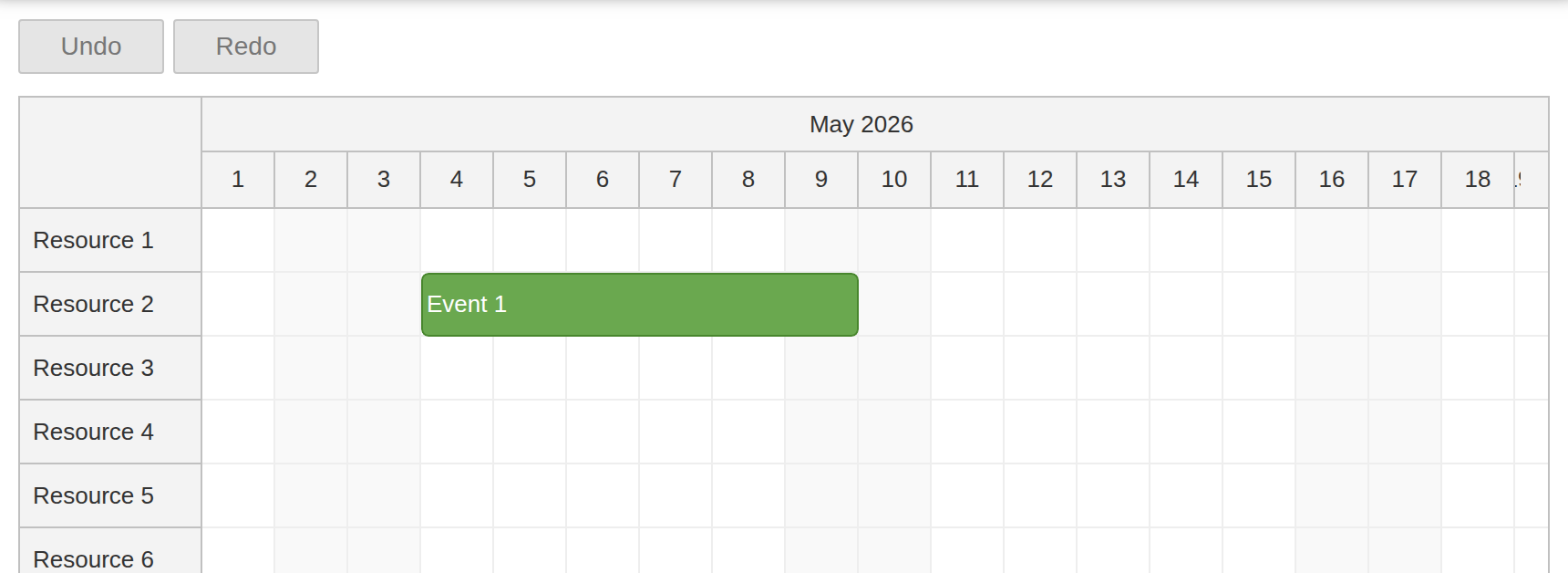
The generated Angular project already has a configured SchedulerComponent in src/app/scheduler/scheduler.component.ts. The component uses Angular signals for the Scheduler config and event data, and injects UndoService so event changes can be tracked.
First, inject the service in the Scheduler component constructor:
constructor(private ds: DataService, public us: UndoService) {
  }
The UndoService must be initialized with the initial event set. As soon as the event array is loaded from DataService, the component stores it in the events signal and initializes the service:
ngAfterViewInit(): void {

    this.ds.getResources().subscribe(result => {
      this.config.update(c => ({ ...c, resources: result }));
    });

    const from = this.scheduler.control.visibleStart();
    const to = this.scheduler.control.visibleEnd();
    this.ds.getEvents(from, to).subscribe(result => {
      this.events.set(result);
      this.us.initialize(result);
    });

  }
Now register all changes made to the events. The Scheduler handlers below run after the default create, move, resize, and delete operations, so each handler can pass the new event state to UndoService together with a text description for the history list.
config = signal<DayPilot.SchedulerConfig>({
    cellWidth: 40,
    rowHeaderWidth: 100,
    timeHeaders: [{ groupBy: 'Month' }, { groupBy: 'Day', format: 'd' }],
    scale: 'Day',
    startDate: DayPilot.Date.today().firstDayOfMonth(),
    days: DayPilot.Date.today().daysInMonth(),
    onBeforeEventRender: args => {
      args.data.backColor = '#6aa84f';
      args.data.borderColor = 'darker';
      args.data.fontColor = 'white';
      args.data.barHidden = true;
    },
    timeRangeSelectedHandling: "Enabled",
    onTimeRangeSelected: async (args) => {
      const scheduler = args.control;
      const modal = await DayPilot.Modal.prompt("Create a new event:", "Event 1");
      scheduler.clearSelection();
      if (modal.canceled || !modal.result) { return; }
      const data: DayPilot.EventData = {
        start: args.start,
        end: args.end,
        id: DayPilot.guid(),
        resource: args.resource,
        text: modal.result
      };
      scheduler.events.add(data);
      this.events.update(items => [...items, data]);
      this.us.add(data, "Event created.");
    },
    eventDeleteHandling: "Update",
    onEventDeleted: (args) => {
      this.us.remove(args.e.data, "Event deleted.");
      this.removeEvent(args.e.data.id);
    },
    eventMoveHandling: "Update",
    onEventMoved: (args) => {
      this.us.update(args.e.data, "Event moved.");
      this.replaceEvent(args.e.data);
    },
    eventResizeHandling: "Update",
    onEventResized: (args) => {
      this.us.update(args.e.data, "Event resized.");
      this.replaceEvent(args.e.data);
    }
  });
When calling add(), update(), and remove(), we provide the event state that should be saved in the undo/redo queue. The text is stored in the history and displayed to users.
As the next step, we will add the Undo and Redo buttons and the history display to the template.
How to Add “Undo” Button
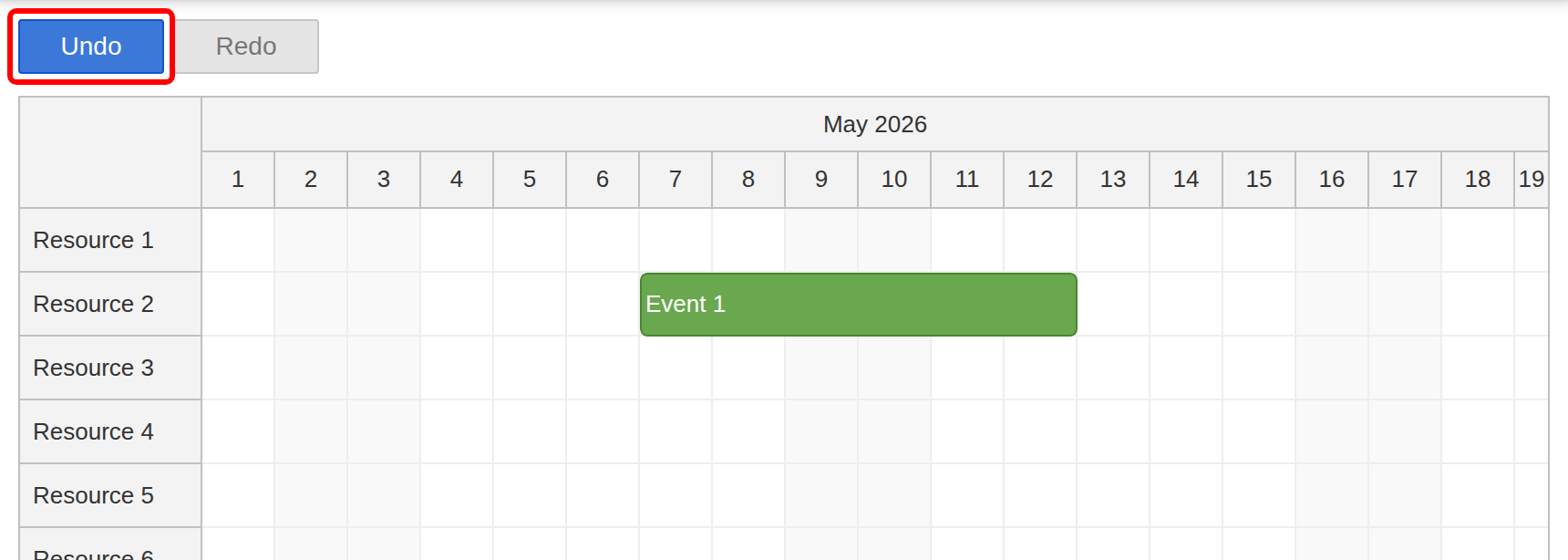
HTML Template
<button type="button" (click)="undo()" [disabled]="!us.canUndo()">Undo</button>TypeScript
undo(): void {
    const item = this.us.undo();
    this.applyHistoryItem(item, 'previous');
  }
The undo() method calls UndoService.undo() to update the internal undo/redo position. The returned HistoryItem contains the event id, the previous object state, and the new object state. The component uses the previous state to revert the Scheduler event.
How to Add “Redo” Button
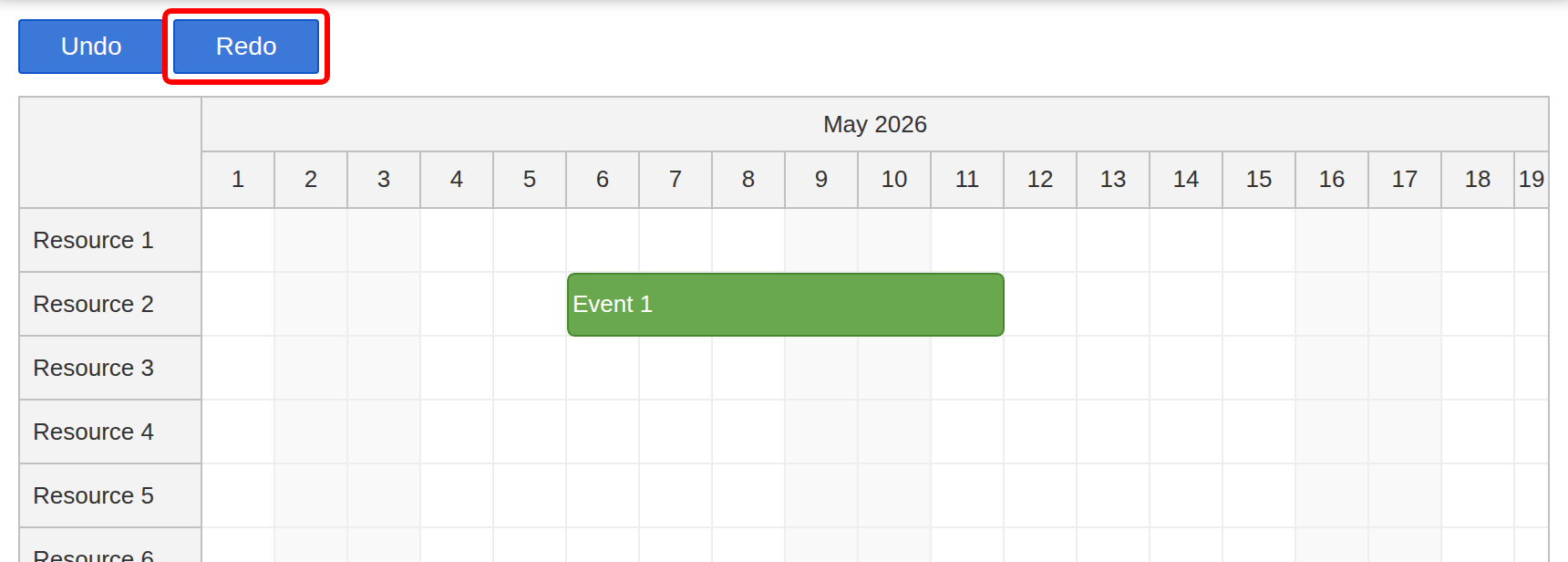
HTML Template
<button type="button" (click)="redo()" [disabled]="!us.canRedo()">Redo</button>TypeScript
redo(): void {
    const item = this.us.redo();
    this.applyHistoryItem(item, 'current');
  }
The redo() method calls UndoService.redo() and uses the current state from HistoryItem to replay the change in the Scheduler.
Scheduler Undo/Redo History
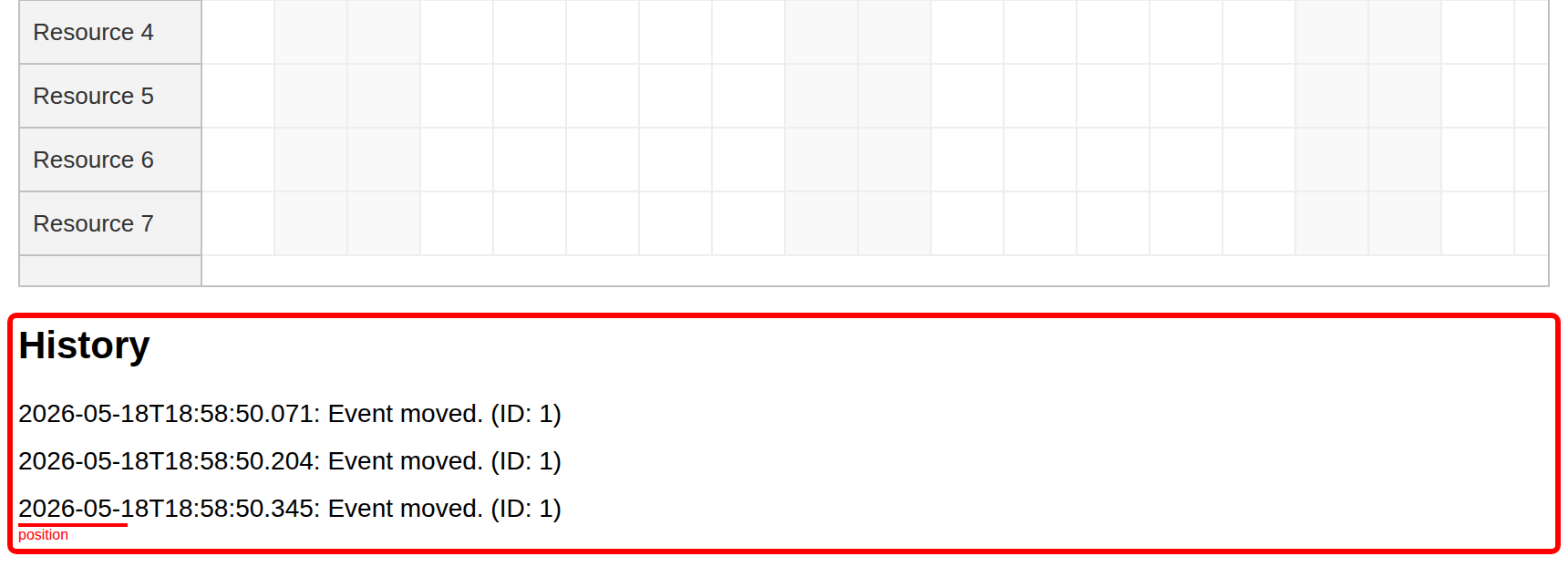
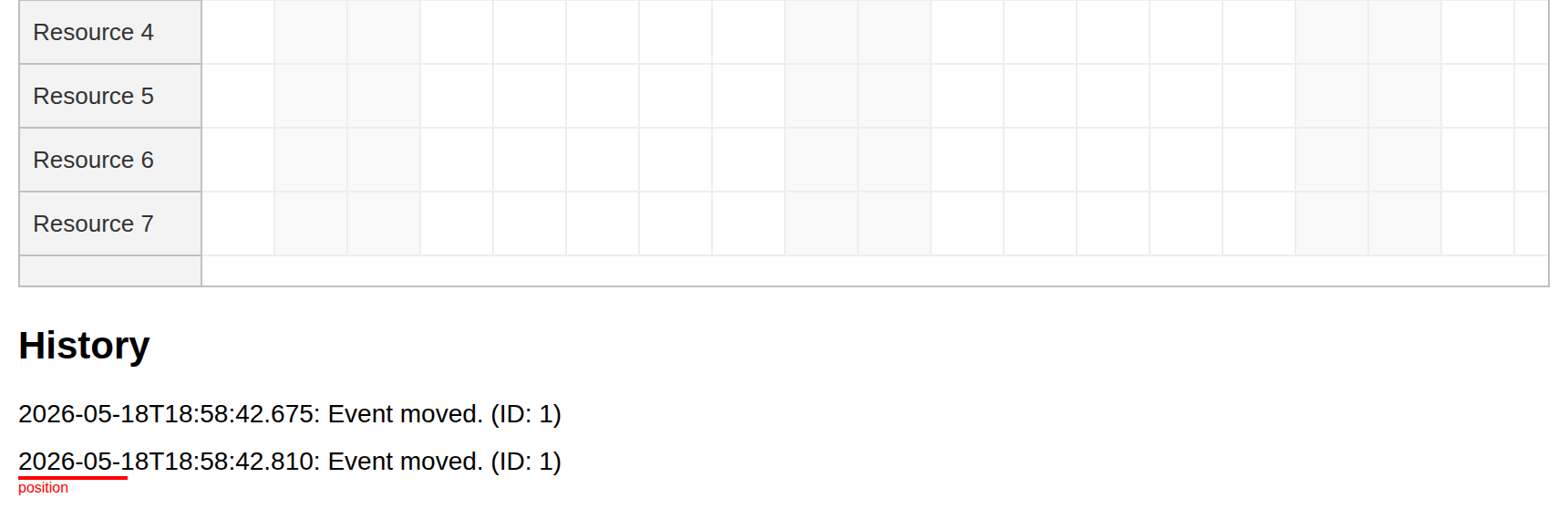
As a visual hint, the project displays the current undo/redo queue and marks the current position.
HTML
<section class="panel">
      <h2>History</h2>
      <div
        *ngFor="let item of us.history(); let i = index"
        [class.highlighted]="i === us.position()"
        class="history-item"
      >
        {{ item.time }}: {{ item.text }} (ID: {{ item.id }})
      </div>
      <div
        *ngIf="us.history().length"
        [class.highlighted]="us.position() === us.history().length"
        class="history-end"
      ></div>
    </section>
CSS
.history-item {
      margin-bottom: 10px;
    }

    .history-end {
      min-height: 1px;
    }

    .highlighted {
      position: relative;
    }

    .highlighted::before {
      content: "position";
      position: absolute;
      top: -10px;
      width: 60px;
      height: 1px;
      border-top: 2px solid red;
      color: red;
      font-size: 8px;
    }
Undo Service Source Code
Here is the source code of the UndoService class which provides the undo/redo functionality for the Scheduler component.
undo.service.ts
import { computed, Injectable, signal } from '@angular/core';
import { DayPilot } from '@daypilot/daypilot-lite-angular';

@Injectable()
export class UndoService {

  private readonly items: Record<string, string | null> = {};

  readonly history = signal<HistoryItem[]>([]);
  readonly position = signal(0);

  readonly canUndo = computed(() => this.position() > 0);
  readonly canRedo = computed(() => this.position() < this.history().length);

  initialize(items: Item[]): void {
    for (const key of Object.keys(this.items)) {
      delete this.items[key];
    }

    items.forEach(item => {
      const key = this.keyForItem(item);
      if (this.items[key]) {
        throw new Error('Duplicate IDs are not allowed.');
      }
      this.items[key] = JSON.stringify(item);
    });

    this.history.set([]);
    this.position.set(0);
  }

  update(item: Item, text?: string): HistoryItem {
    const key = this.keyForItem(item);
    const stringified = JSON.stringify(item);
    const previous = this.items[key];

    if (!previous) {
      throw new Error('The item to be updated was not found in the list.');
    }
    if (previous === stringified) {
      throw new Error('The item to be updated has not been modified.');
    }

    const record: HistoryItem = {
      id: item.id,
      time: new DayPilot.Date(),
      previous: JSON.parse(previous),
      current: JSON.parse(stringified),
      text: text || '',
      type: 'update'
    };

    this.items[key] = stringified;
    this.addToHistory(record);

    return record;
  }

  add(item: Item, text?: string): HistoryItem {
    const key = this.keyForItem(item);
    if (this.items[key]) {
      throw new Error('Item is already in the list.');
    }

    const record: HistoryItem = {
      id: item.id,
      time: new DayPilot.Date(),
      previous: null,
      current: JSON.parse(JSON.stringify(item)),
      text: text || '',
      type: 'add'
    };

    this.items[key] = JSON.stringify(item);
    this.addToHistory(record);

    return record;
  }

  remove(item: Item, text?: string): HistoryItem {
    const key = this.keyForItem(item);
    const current = this.items[key];

    if (!current) {
      throw new Error('The item to be removed was not found in the list.');
    }
    if (current !== JSON.stringify(item)) {
      throw new Error('The item to be removed has been modified.');
    }

    const record: HistoryItem = {
      id: item.id,
      time: new DayPilot.Date(),
      previous: JSON.parse(current),
      current: null,
      text: text || '',
      type: 'remove'
    };

    this.items[key] = null;
    this.addToHistory(record);

    return record;
  }

  undo(): HistoryItem {
    if (!this.canUndo()) {
      throw new Error("Can't undo.");
    }

    const newPosition = this.position() - 1;
    const record = this.history()[newPosition];
    this.position.set(newPosition);
    this.applyInternalState(record, 'previous');

    return record;
  }

  redo(): HistoryItem {
    if (!this.canRedo()) {
      throw new Error("Can't redo.");
    }

    const record = this.history()[this.position()];
    this.position.update(value => value + 1);
    this.applyInternalState(record, 'current');

    return record;
  }

  private applyInternalState(record: HistoryItem, target: 'previous' | 'current'): void {
    const key = this.keyForId(record.id);
    const item = record[target];
    this.items[key] = item ? JSON.stringify(item) : null;
  }

  private keyForItem(item: Item): string {
    return this.keyForId(item.id);
  }

  private keyForId(id: string | number): string {
    return `_${id}`;
  }

  private addToHistory(record: HistoryItem): void {
    const next = this.history().slice(0, this.position());
    next.push(record);
    this.history.set(next);
    this.position.set(next.length);
  }
}

export interface HistoryItem {
  id: string | number;
  time: DayPilot.Date;
  previous: Item | null;
  current: Item | null;
  text: string;
  type: 'add' | 'remove' | 'update';
}

export interface Item {
  id: string | number;
}
History
May 18, 2026: Upgraded to Angular 21, signals. Switched to the open-source version.