 DayPilot
React Scheduler: Rendering JSX Components in Row Headers
How to insert React components or direct JSX into Scheduler row headers.
Jul 15, 2026
JavaScript Scheduler: Displaying Holidays
How to configure the JavaScript Scheduler component to display global and resource-specific holidays and prevent user actions in holiday cells.
May 31, 2026
JavaScript Calendar: Use the Zoom Feature to Magnify the Calendar Grid
You can use the zoom feature in the Calendar to define custom magnification levels. Users can zoom using a slider or the [-] and [+] buttons.
May 20, 2026
React Calendar: Rendering JSX in Events
How to render custom JSX components in events displayed by the React Calendar component.
May 20, 2026
Angular Scheduler: Undo/Redo
Angular tutorial that shows how to implement undo/redo functionality for the DayPilot Lite Angular Scheduler UI component.
May 18, 2026
JavaScript Scheduler: Undo/Redo
Client-side undo/redo implementation for the JavaScript Scheduler built with DayPilot Lite. Displays the full action history and the current position in the list.
Apr 20, 2026
ASP.NET Core Maintenance Scheduling (Open-Source)
How to create a visual, color-coded, and easily adjustable maintenance schedule in ASP.NET Core using DayPilot Lite, the open-source calendar/scheduling UI library.
Apr 19, 2026
React Calendar with Day/Week/Month Views (Open-Source)
This tutorial shows how to create a complex calendar component that displays integrated daily, weekly and monthly calendars in React.
Apr 19, 2026
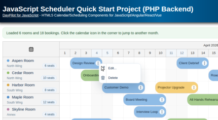
JavaScript Scheduler Quick Start Project (PHP Backend)
Quick-start JavaScript Scheduler project using DayPilot Lite, a Vite frontend generated by the UI Builder, and a PHP 8 JSON API with SQLite by default and optional MySQL/PostgreSQL support.
Apr 19, 2026
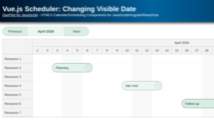
Vue.js Scheduler: Changing Visible Date
How to switch the visible date range displayed by the Vue.js Scheduler using Previous and Next buttons.
Apr 17, 2026
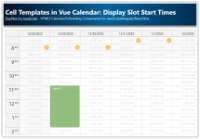
Cell Templates in Vue Calendar: Display Slot Start Times, Sunrise & Sunset (Open-Source)
Use Vue templates to add custom content to calendar cells: text, icons, or even Vue components. Use v-if to display content only in the cells you choose.
Apr 16, 2026
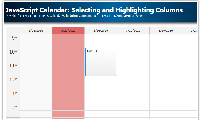
JavaScript Calendar: Selecting and Highlighting Columns
How to select and highlight calendar columns on header click.
Mar 23, 2026
Angular Scheduler: Read-Only and Edit Mode Switching
Angular 21 application that shows how to switch the Angular Scheduler (which is in "edit" mode by default) to read-only mode.
Mar 21, 2026
JavaScript Scheduler: Switching Day/Week/Month Views
How to define day/week/month views for the JavaScript Scheduler. The current view can be switched using custom buttons.
Mar 21, 2026
Angular Scheduler: CSS Themes
How to change the Angular Scheduler component appearance using a CSS theme. You can use one of the predefined themes or create your own theme using an online tool.
Jan 30, 2026
Improve Angular Scheduler Performance using Lazy Loading (Code Splitting)
Use Angular lazy loading feature to improve the initial load time of your Scheduler application.
Jan 25, 2026
Vue Date Picker with Free/Busy Highlighting (Open-Source)
Use the Vue date picker component (Navigator) to change the current date. The date picker can highlight dates that already have events or are not available.
Jan 25, 2026
JavaScript Scheduler: Event Types
How to define your own Scheduler event types and customize the appearance. You can change the event type using a context menu or a modal dialog.
Jan 24, 2026
JavaScript Scheduler: Pushing Existing Events Back (Drag and Drop)
How to configure the JavaScript Scheduler to automatically move existing events later when a new event is dragged and dropped, to avoid overlaps.
Jan 24, 2026
Next.js Monthly Calendar (Open-Source)
Learn how to build a customized monthly calendar UI in Next.js 16 using the open-source DayPilot scheduling library.
Jan 23, 2026