 DayPilot
Back to All Tutorials
JavaScript Resource-Scheduling Calendar: Full-Screen Layout
Use the 100% height mode of the calendar to avoid duplicate vertical scrollbars and keep headers fixed.
Feb 24, 2025
ASP.NET Core Restaurant Table Reservation (Tutorial)
Learn how to use the visual Scheduler component to build a restaurant table reservation application in ASP.NET Core. Create an intuitive UI that makes it easy to assign reservation requests to available tables.
Feb 5, 2025
Next.js Scheduler: How to Show Planned vs. Actual Task Durations using Task Versions
How to build a visual schedule in Next.js that displays the planned version of a task above its actual version. This makes it easy to compare durations and track deviations from the original plan.
Jan 15, 2025
Workforce Scheduling in ASP.NET Core: Queue, Drag-and-Drop Resource Allocation, and Task Checklists
How to build an ASP.NET Core application for visual workforce scheduling. Integrate a queue of unscheduled orders and a scheduling calendar that displays staff as columns.
Dec 30, 2024
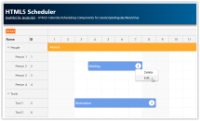
HTML5 Scheduler
HTML5 scheduler with drag and drop support. It displays a timeline for multiple resources grouped by category. PHP project with REST API backend and MySQL/SQLite storage is available for download.
Nov 22, 2024
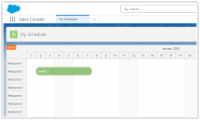
Using JavaScript Scheduler in Salesforce (LWC)
How to create a new LWC component with DayPilot Scheduler and deploy it to your Salesforce org.
Oct 18, 2024
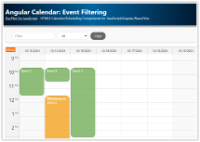
Angular Calendar: Event Filtering
Learn how to implement real-time event filtering (by text and event type) in the Angular Calendar component.
Oct 15, 2024
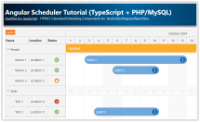
Angular Scheduler Tutorial (TypeScript + PHP/MySQL)
An Angular application that shows how to use DayPilot Scheduler with a PHP/MySQL backend.
Oct 3, 2024
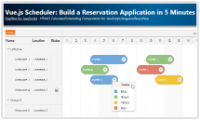
Vue Scheduler: Build a Reservation Application in 5 Minutes
Vue.js application for scheduling resource reservations. Built using a customizable Scheduler UI component - flexible timeline, drag and drop support.
Oct 1, 2024
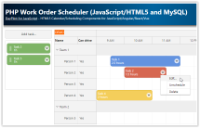
PHP Work Order Scheduler (JavaScript/HTML5 and MySQL)
This tutorial shows how to create a PHP application that will let users manage and schedule work orders using a visual interface implemented using JavaScript/HTML5.
Sep 30, 2024