DayPilot
| Demo | |
|---|---|
| Downloads | |
| Repository | |
| Languages | TypeScript |
| Technologies | angular |
| Code License | Apache License 2.0 (Open-Source) |
Features
- Render a real Angular child component inside Angular Scheduler events using an event template.
- Pass the typed event context to the child and use Angular bindings and click handlers.
- Let the Angular wrapper manage template views as events are rendered and removed.
- Includes DayPilot Lite for JavaScript, the open-source edition (Apache License 2.0).
License
The tutorial source code and DayPilot Lite are licensed under Apache License 2.0. Third-party libraries are available under their respective licenses; see the licensing information included in the download.
Installation and Versions
The downloadable project uses standalone Angular 22 components and @daypilot/daypilot-lite-angular. Angular event templates require DayPilot Lite for Angular 6.2.0 or later. The included project enables strictTemplates so Angular checks the template context and child input types during the build.
To start a new project, open DayPilot UI Builder, select Scheduler, Angular and Lite, and download the generated project. Ensure the DayPilot dependency is version 6.2.0 or later; install it using npm install @daypilot/daypilot-lite-angular@^6.2.0. Keep the resulting package.json and package-lock.json together.
The same event-template markup can be used in DayPilot Pro for JavaScript projects with the corresponding Angular package from the DayPilot npm repository. This sample uses Lite and imports from @daypilot/daypilot-lite-angular.
For the included project, run npm ci, then npm start and open the local URL printed by Angular. Use npm run build for a production build. The project enables strictTemplates.
Angular Scheduler Event Customization
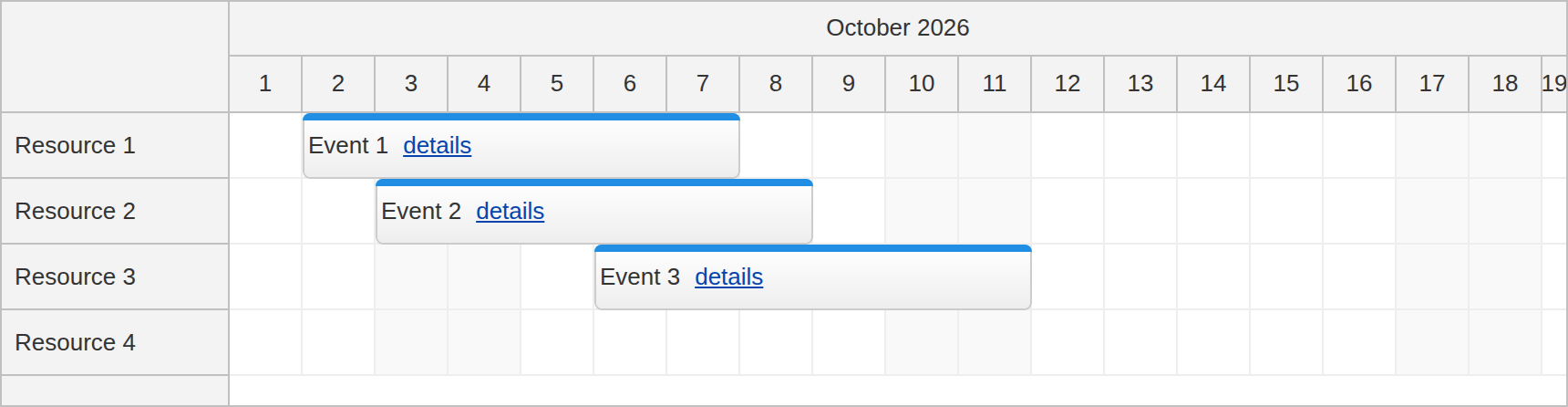
The Angular Scheduler component offers several tools to customize event content. By default, an event displays the text property from its event data object. The html property supplies HTML instead. You can also customize event HTML in onBeforeEventRender, or add positioned interactive elements using active areas.
For Angular content, define an event template inside <daypilot-scheduler>. It supplies the event body as an Angular view, so it can contain a child component with inputs, bindings and event handlers. An HTML string alone does not create that Angular component.
Rendering a Child Component with an Event Template
The containing standalone component imports DayPilotModule from @daypilot/daypilot-lite-angular and the child EventContentComponent. The module exposes the Scheduler and template directive. Put the template inside the Scheduler element:
<daypilot-scheduler [config]="config" [events]="events">
  <ng-template daypilotTemplate="event"
               daypilotTemplateFor="scheduler"
               let-event="event">
    <app-event-content [event]="event"></app-event-content>
  </ng-template>
</daypilot-scheduler>
daypilotTemplate="event" selects the event body. daypilotTemplateFor="scheduler" identifies the Scheduler context for template type checking. Use the named binding let-event="event": the context contains an event property, not an implicit value. That property is a DayPilot.Event, which the [event] binding passes to the child input.
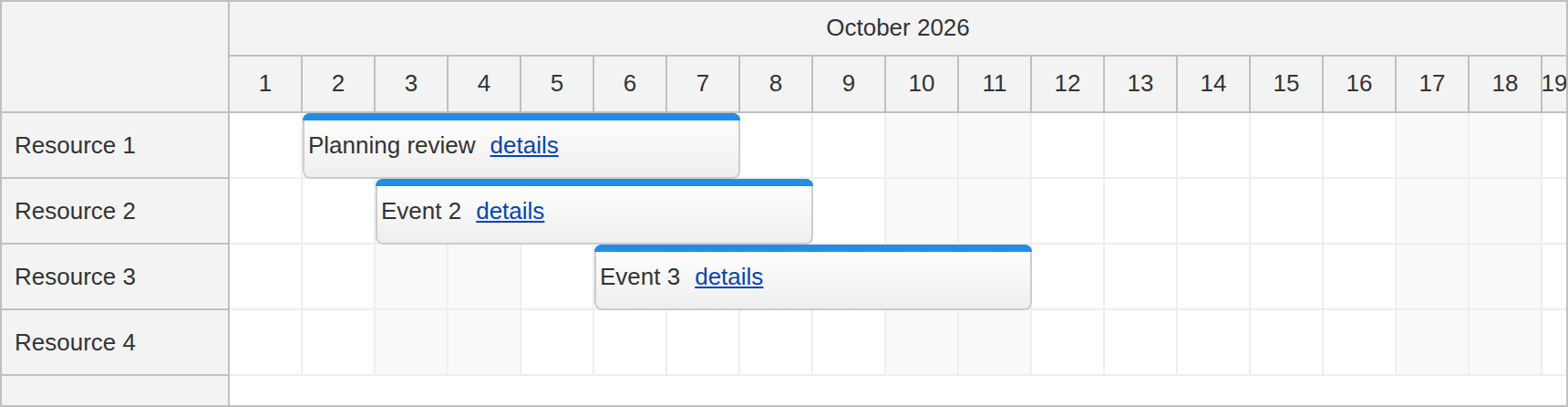
Create event-content.component.ts as a standalone child component. Its required input is typed as DayPilot.Event. Because this is a signal input, call event() to read it; event().text() returns the current event title. Both the visible title and the button’s accessible label use Angular bindings.
import {Component, input} from '@angular/core';
import {DayPilot} from '@daypilot/daypilot-lite-angular';

@Component({
  selector: 'app-event-content',
  standalone: true,
  template: `
    <span class="event-title">{{ event().text() }}</span>
    <button type="button" (click)="showDetails($event)"
            [attr.aria-label]="'Details for ' + event().text()">details</button>
  `,
  styles: [`
    :host { display: flex; align-items: center; gap: 8px; height: 100%; }
    .event-title { overflow: hidden; text-overflow: ellipsis; white-space: nowrap; }
    button { font: inherit; color: #0645ad; text-decoration: underline;
      background: none; border: 0; padding: 0; cursor: pointer; flex-shrink: 0; }
  `]
})
export class EventContentComponent {
  event = input.required<DayPilot.Event>();

  showDetails(click: MouseEvent): void {
    click.stopPropagation();
    const event = this.event();
    DayPilot.Modal.alert('Event id: ' + event.id());
  }
}
The sample uses a button styled as a details link. Clicking it opens a DayPilot modal showing the event ID. Clicking the title or event background instead opens the Scheduler’s event-name prompt. Rename an event to see the Angular title and accessible label update together.
Prevent Event Bubbling
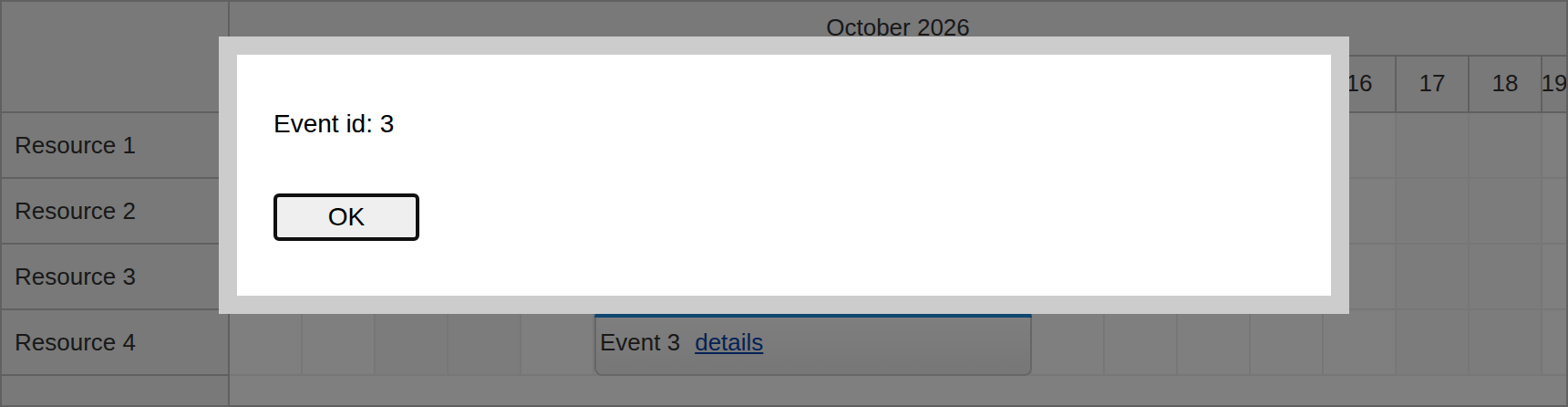
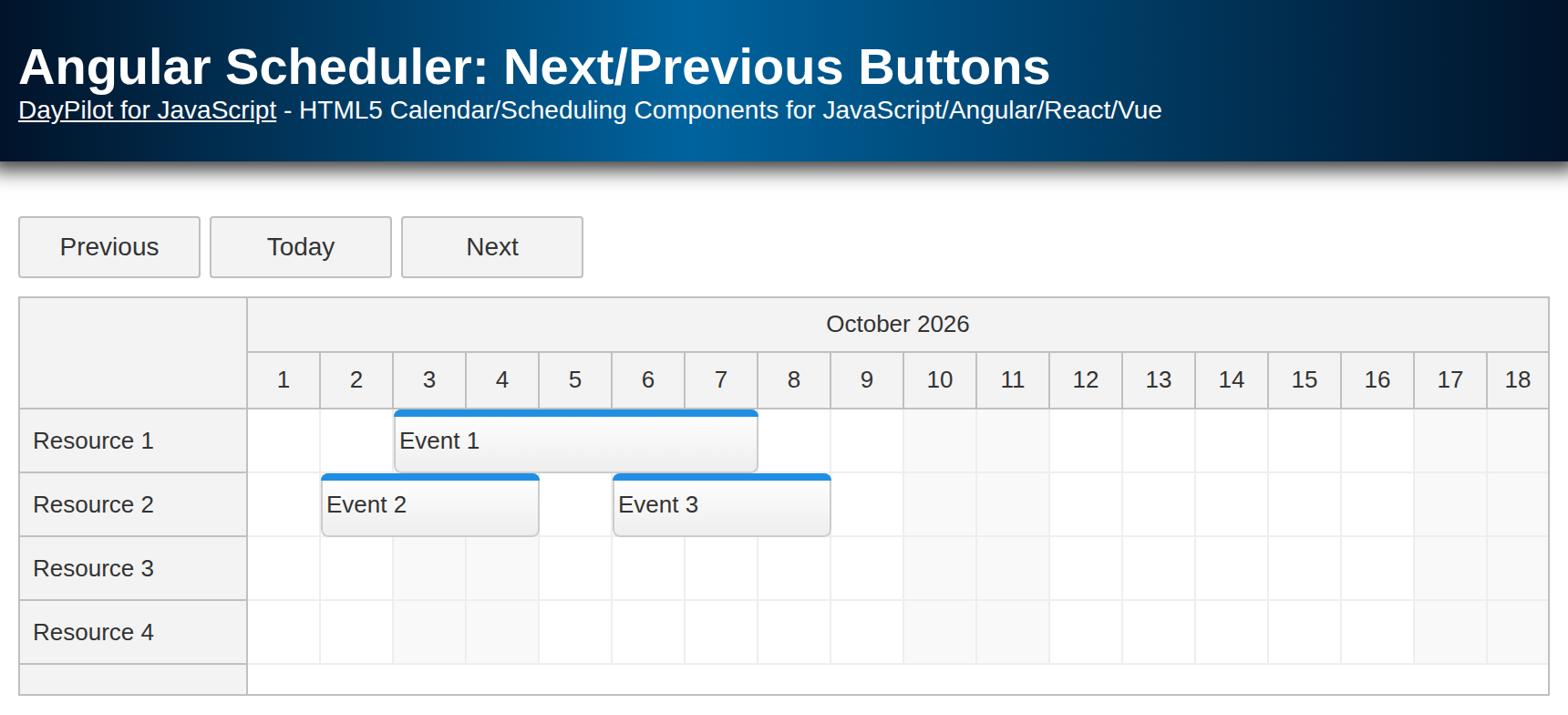
The Scheduler event element defines its own click handler. The child’s showDetails() handler calls stopPropagation() before opening the details dialog so this click does not also open the parent’s rename prompt. The button uses type="button", so it does not submit a surrounding form. If you use an anchor with an href instead, also prevent its default navigation. The screenshot shows Event 3 after it has been moved to Resource 4.
View Lifecycle and Application State
The Angular wrapper creates a template view when the Scheduler needs an event’s DOM content and destroys that view when the content is removed. It also disposes remaining template views when the Scheduler component is destroyed. The child’s normal Angular lifecycle follows that view; application code does not need to keep component references or call the change detector manually.
Treat each rendered child as a temporary view of event data. Scrolling, event updates and redraws can remove and recreate it. State that must survive those operations belongs in application data, keyed by event ID, rather than only in a child field. Persist it to your backend as well if it must survive a page reload.
Here, an events signal owns the event data. Creating, renaming, moving, resizing or deleting an event replaces that signal value. For move, resize and delete, the handlers prevent the default control-side update and update application data instead. The wrapper then receives the new signal value. The static options remain in a typed DayPilot.SchedulerConfig object; if options need to change later, replace the configuration or use a configuration signal instead of relying on nested object mutation.
Performance
Complex Angular child components still take time to create, check and destroy. Event templates manage integration and cleanup; they do not automatically improve performance. Keep the event structure as simple as possible, particularly when displaying many events.
The Scheduler uses progressive event rendering to render events for the visible viewport. This reduces initial rendering work, but more content may be rendered during scrolling. Avoid expensive per-event work and keep subscriptions or other resources scoped to the child’s lifecycle.
Compatibility: Manual DOM Callbacks
For advanced manual integration, see onBeforeEventDomAdd and onBeforeEventDomRemove. A template overrides the corresponding DOM-add callback, but an existing DOM-removal callback still runs. When migrating a manually created child component, remove both old handlers, including the stored-component destruction code. The template wrapper owns cleanup in this example.
Full Source Code (TypeScript)
The main component, scheduler.component.ts, imports the child directly. Four flat resource rows and current-month sample events come from DataService. Drag an empty time range to create an event, drag an event to move it, or drag its edge to resize it. The event delete affordance removes it from application data.
import {Component, inject, signal} from '@angular/core';
import {DayPilot, DayPilotModule} from '@daypilot/daypilot-lite-angular';
import {DataService} from './data.service';
import {EventContentComponent} from './event-content.component';

@Component({
  selector: 'scheduler-component',
  standalone: true,
  imports: [DayPilotModule, EventContentComponent],
  providers: [DataService],
  template: `
    <daypilot-scheduler [config]="config" [events]="events">
      <ng-template daypilotTemplate="event"
                   daypilotTemplateFor="scheduler"
                   let-event="event">
        <app-event-content [event]="event"></app-event-content>
      </ng-template>
    </daypilot-scheduler>
  `
})
export class SchedulerComponent {
  private ds = inject(DataService);
  private start = DayPilot.Date.today().firstDayOfMonth();
  events = signal<DayPilot.EventData[]>(this.ds.getEvents(this.start));

  config: DayPilot.SchedulerConfig = {
    startDate: this.start,
    days: this.start.daysInMonth(),
    scale: 'Day',
    timeHeaders: [{groupBy: 'Month'}, {groupBy: 'Day', format: 'd'}],
    cellWidth: 40,
    rowHeaderWidth: 125,
    resources: this.ds.resources,
    eventHeight: 36,
    eventClickHandling: 'Enabled',
    eventMoveHandling: 'Update',
    eventResizeHandling: 'Update',
    eventDeleteHandling: 'Update',
    onEventClick: async args => {
      const modal = await DayPilot.Modal.prompt('Event name:', args.e.text());
      if (modal.canceled || !modal.result) { return; }
      this.events.update(events => events.map(event =>
        event.id === args.e.id() ? {...event, text: modal.result} : event));
    },
    onEventMove: args => {
      args.preventDefault();
      this.events.update(events => events.map(event => event.id === args.e.id()
        ? {...event, start: args.newStart, end: args.newEnd, resource: args.newResource}
        : event));
    },
    onEventResize: args => {
      args.preventDefault();
      this.events.update(events => events.map(event => event.id === args.e.id()
        ? {...event, start: args.newStart, end: args.newEnd} : event));
    },
    onEventDelete: args => {
      args.preventDefault();
      this.events.update(events => events.filter(event => event.id !== args.e.id()));
    },
    onTimeRangeSelected: async args => {
      const modal = await DayPilot.Modal.prompt('Create a new event:', 'Event 4');
      args.control.clearSelection();
      if (modal.canceled || !modal.result) { return; }
      this.events.update(events => [...events, {
        id: DayPilot.guid(), start: args.start, end: args.end,
        resource: args.resource, text: modal.result
      }]);
    }
  };
}
The data service (data.service.ts) supplies the flat resources and events:
import {Injectable} from '@angular/core';
import {DayPilot} from '@daypilot/daypilot-lite-angular';

@Injectable()
export class DataService {
  resources: DayPilot.ResourceData[] = [
    {name: 'Resource 1', id: 'R1'},
    {name: 'Resource 2', id: 'R2'},
    {name: 'Resource 3', id: 'R3'},
    {name: 'Resource 4', id: 'R4'}
  ];

  getEvents(start: DayPilot.Date): DayPilot.EventData[] {
    return [
      {id: '1', resource: 'R1', start: start.addDays(1), end: start.addDays(7), text: 'Event 1'},
      {id: '2', resource: 'R2', start: start.addDays(2), end: start.addDays(8), text: 'Event 2'},
      {id: '3', resource: 'R3', start: start.addDays(5), end: start.addDays(11), text: 'Event 3'}
    ];
  }
}