code.daypilot.org

Articles

JavaScript Scheduler: Displaying Holidays
How to configure the JavaScript Scheduler component to display custom holiday information and block drag and drop operations for the holiday cells.
JavaScript alert() Replacement
Simple helper for replacing alert() with a more flexible HTML-based modal dialog with support for CSS styling.
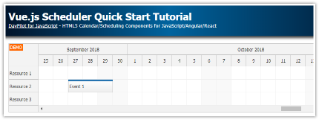
Vue.js Scheduler Quick Start Tutorial
Vue.js project that includes Scheduler component with basic configuration and all required boilerplate code.
Event Calendar Widget for JavaScript/PHP
Interactive event calendar for JavaScript/HMTL5 with support for drag and drop operations. Full calendar CSS styling support. Includes a sample PHP backend with SQL database.
JavaScript Scheduler: Using Checkboxes to Select Rows
How to select Scheduler rows using checkboxes displayed in the row header.
Angular 11 Scheduler Quick Start Project
Add an Angular Scheduler component to your application and use it to manage a schedule online. Add, move, edit, and delete reservations using drag and drop.
DayPilot.Modal: Open-Source JavaScript Modal Dialog
Open-source JavaScript modal dialog with rich features. It can display custom HTML or a standalone page. Supports drag&drop moving and automatic height adjustment.
AJAX Scheduler for JavaScript/PHP
This tutorial shows how to use DayPilot AJAX Scheduler to create a JavaScript/HTML5 event scheduler application with PHP backend.
JavaScript Scheduler: Swapping Events (Drag and Drop)
How to implement event swapping using drag an drop in the JavaScript Scheduler component. Detect events at the target position and move the target event to the source position after drop. The Scheduler provides real-time feedback during dragging.
JavaScript Scheduler: Keyboard Navigation
How to enable keyboard navigation in the JavaScript Scheduler component. Use the keyboard to focus cells in the grid, select a time range and edit existing events.
Previous Articles 251-260 of 339 Next