 DayPilot
A list of React scheduling tutorials that use React 19.
React Scheduler: Timeline Zoom
How to add a zoom feature to the React Scheduler timeline. You can change the zoom level (and timeline resolution) using a "range" control and "zoom in" and "zoom out" buttons.
Oct 15, 2026
React Scheduler: How to Enable Undo/Redo
The React Scheduler component can record all drag and drop actions and allow unlimited undo/redo. See how to add undo/redo buttons and display the full history.
Oct 14, 2026
React Scheduler with Horizontal Timeline (Open-Source)
Open-source React Scheduler with a readable year-view timeline, theme switching, editable events, and custom event rendering.
Oct 10, 2026
Next.js Scheduler with Horizontal Timeline (Open-Source)
Build a Next.js scheduler with a horizontal timeline (one year, day-by-day) featuring a date picker with scroll synchronization, a timeline header context menu for bulk day actions, and column highlighting.
Sep 28, 2026
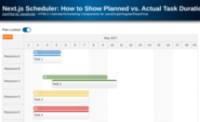
Next.js Scheduler: How to Show Planned vs. Actual Task Durations using Task Versions
How to build a visual schedule in Next.js that displays the planned version of a task above its actual version. This makes it easy to compare durations and track deviations from the original plan.
Sep 24, 2026
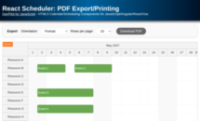
React Scheduler: PDF Export/Printing
How to export the current React Scheduler view to a multi-page PDF document with a specified number of rows per page.
Sep 22, 2026
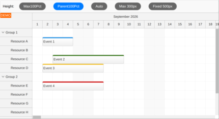
React Scheduler: Full Screen Layout
How to integrate the React Scheduler component into a full screen page layout. The full screen mode will allow rendering optimizations to be applied correctly and avoid a confusing duplicate vertical scrollbar.
Sep 20, 2026
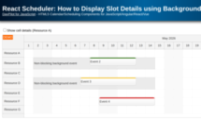
React Scheduler: How to Display Slot Details using Background Events
How to move the React Scheduler events to the background so they can be used to display additional time slot information.
Sep 17, 2026
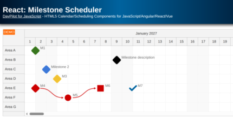
React: Milestone Scheduler
How to display milestones in the React Scheduler component. You can use custom shapes, icons, colors and connect the milestones using links.
Sep 17, 2026
React Scheduler: How to Manage Resources
Explore the built-in UI elements that let your users manage (create, edit, move, delete) resources displayed using the React Scheduler component.
Jul 31, 2026
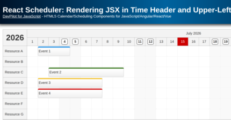
React Scheduler: Rendering JSX in Time Header and Upper-Left Corner
How to render custom React JSX components in the Scheduler time header and upper-left corner.
Jul 15, 2026
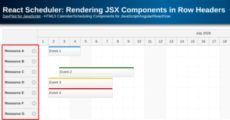
React Scheduler: Rendering JSX Components in Row Headers
How to insert React components or direct JSX into Scheduler row headers.
Jul 15, 2026
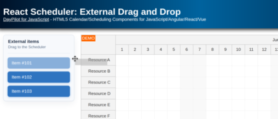
React Scheduler: External Drag and Drop
How to activate external items so they can be dragged to the React Scheduler component.
Jun 2, 2026
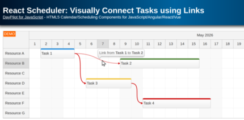
React Scheduler: Visually Connect Tasks using Links
Links can be used to display relationships between tasks in the React Scheduler UI component. Learn about the most common use cases and configuration options.
May 14, 2026
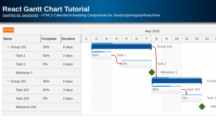
React Gantt Chart Tutorial
Simple React application that displays a project schedule using a Gantt Chart component.
May 14, 2026
React Scheduler Component Tutorial
Add a scheduler UI component to your React 19 application using the current DayPilot builder template. Covers one-year timeline setup, row headers, filtering, drag and drop, and context menu customization.
Apr 20, 2026
React Calendar with Day/Week/Month Views (Open-Source)
This tutorial shows how to create a complex calendar component that displays integrated daily, weekly and monthly calendars in React.
Apr 19, 2026
React Scheduler: How to Search Events
Learn how to search React Scheduler events, highlight matching text, and jump between results using Next and Previous buttons in a React 19 application.
Apr 18, 2026
React Timesheet
How to display a timesheet in a React application. Learn how to configure the time axis, hide non-business hours, add daily totals, and edit records using drag and drop.
Apr 14, 2026
React Shift Scheduling Application (PHP/MySQL Backend)
React application that lets you visually schedule shifts at multiple locations. The backend REST API is implemented using PHP, with SQLite default storage and optional MySQL.
Apr 14, 2026