DayPilot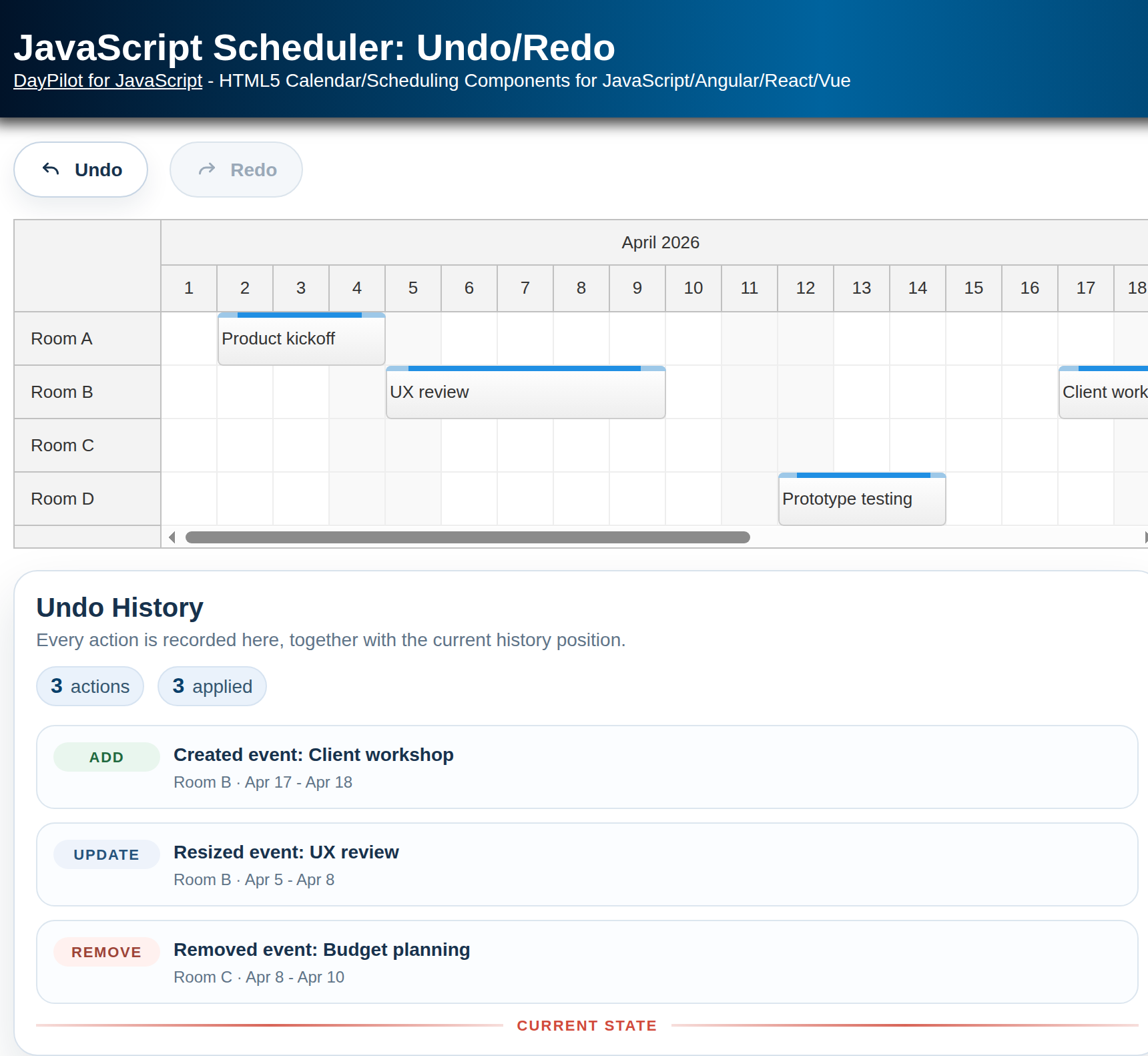
| Demo | |
|---|---|
| Downloads | |
| Repository | |
| Languages | JavaScript |
| Code License | Apache License 2.0 (Open-Source) |
Features
Built with DayPilot Lite for JavaScript in a Vite project generated by Scheduler UI Builder.
The reusable
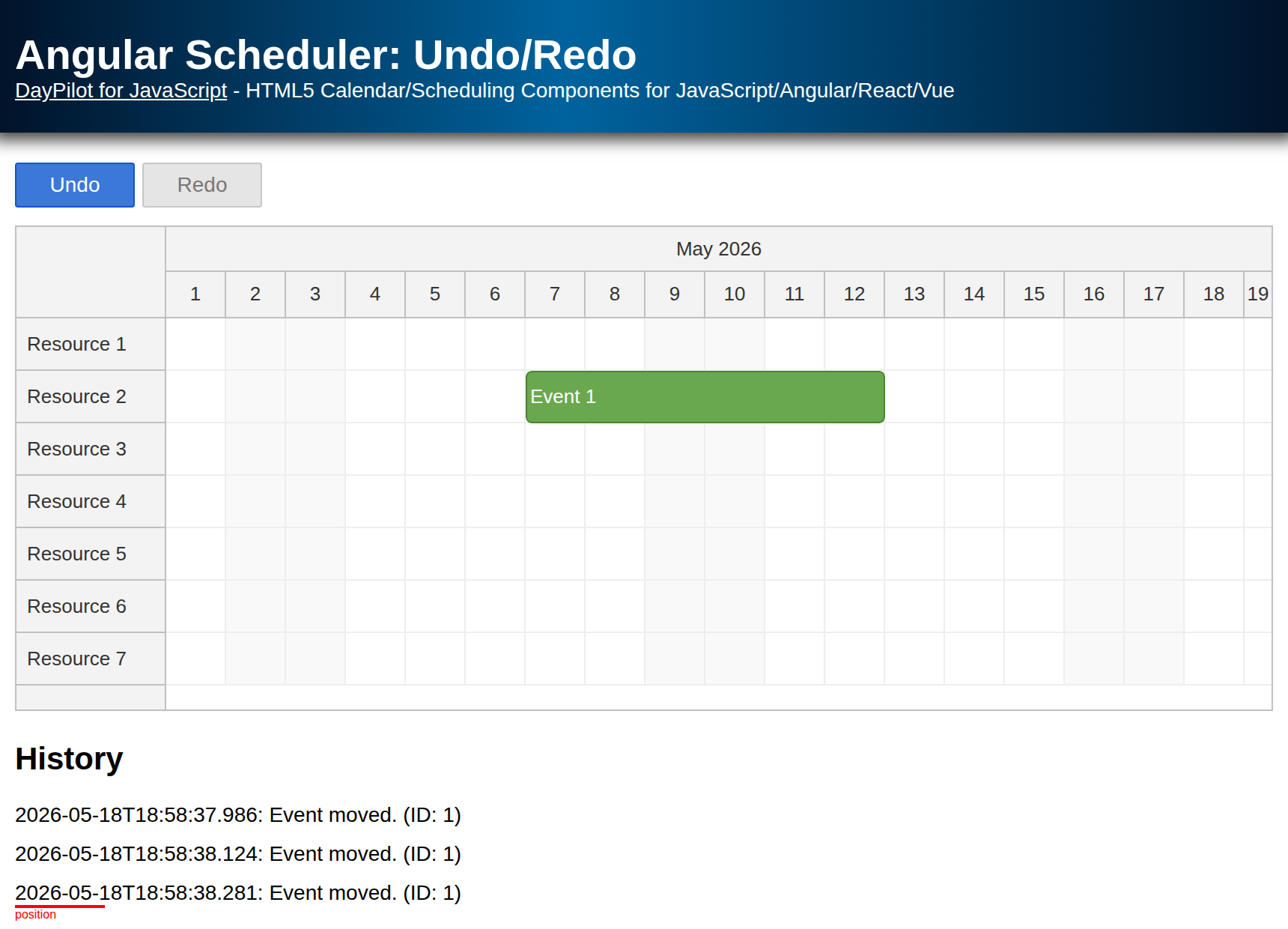
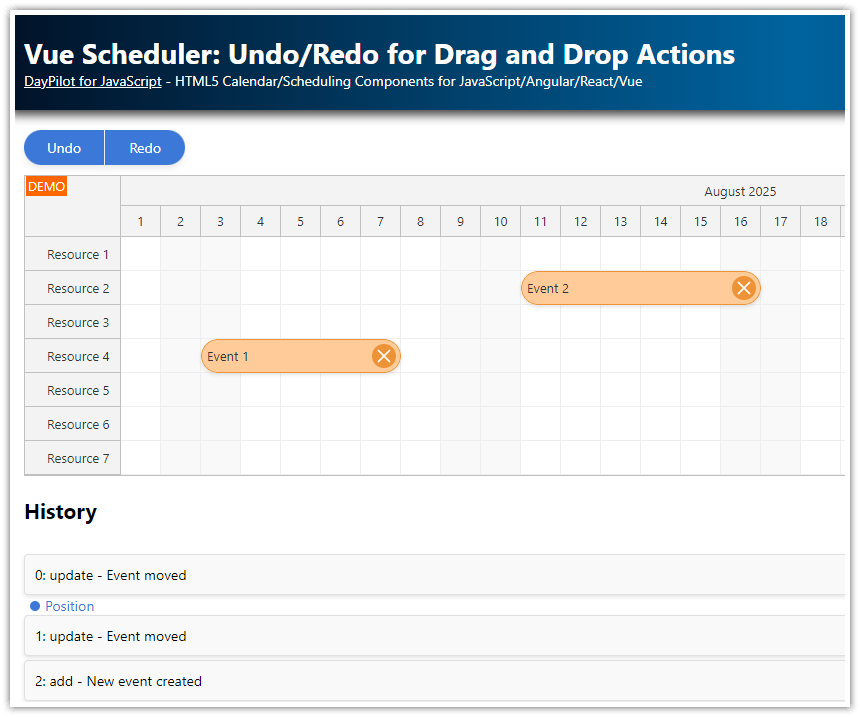
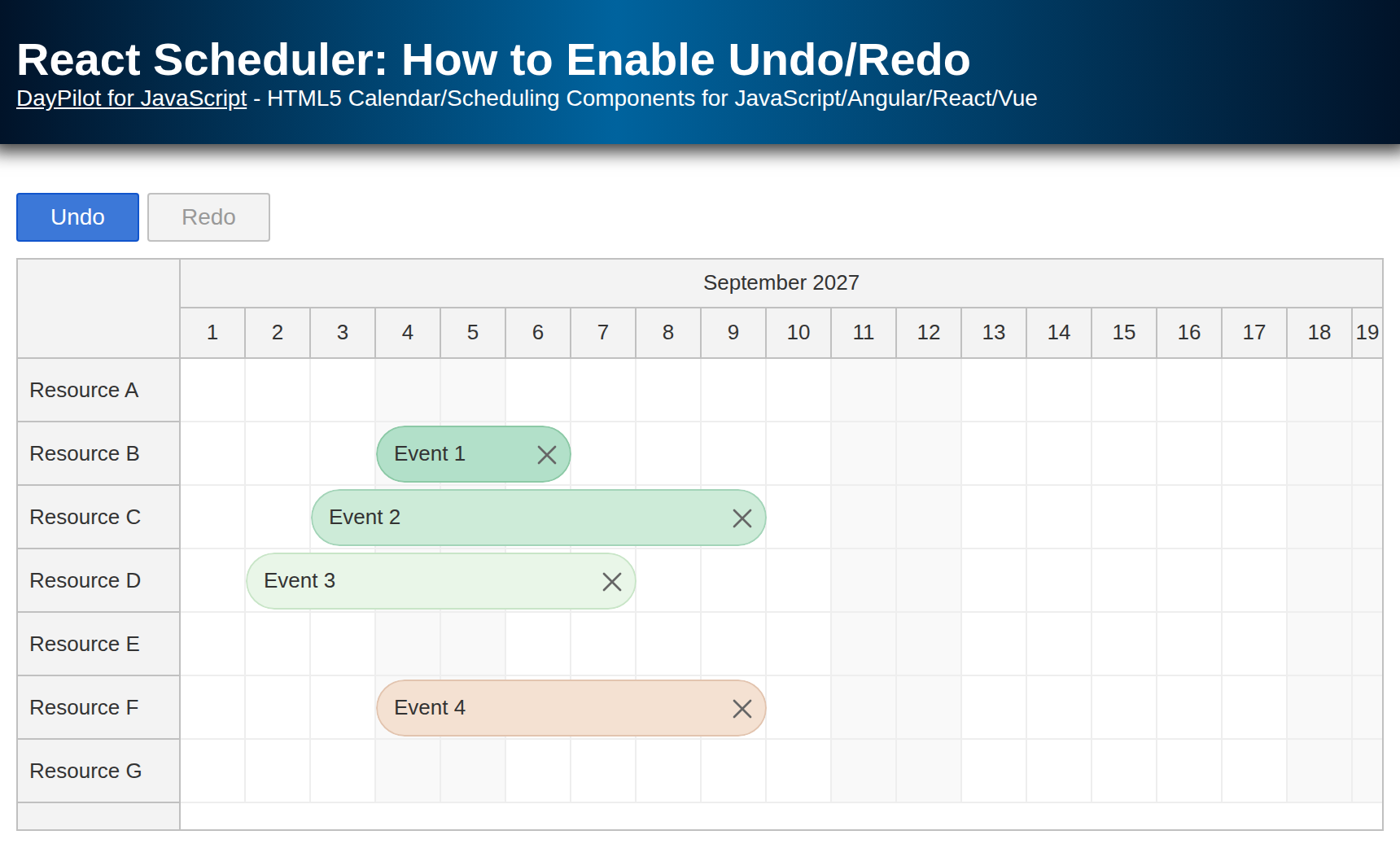
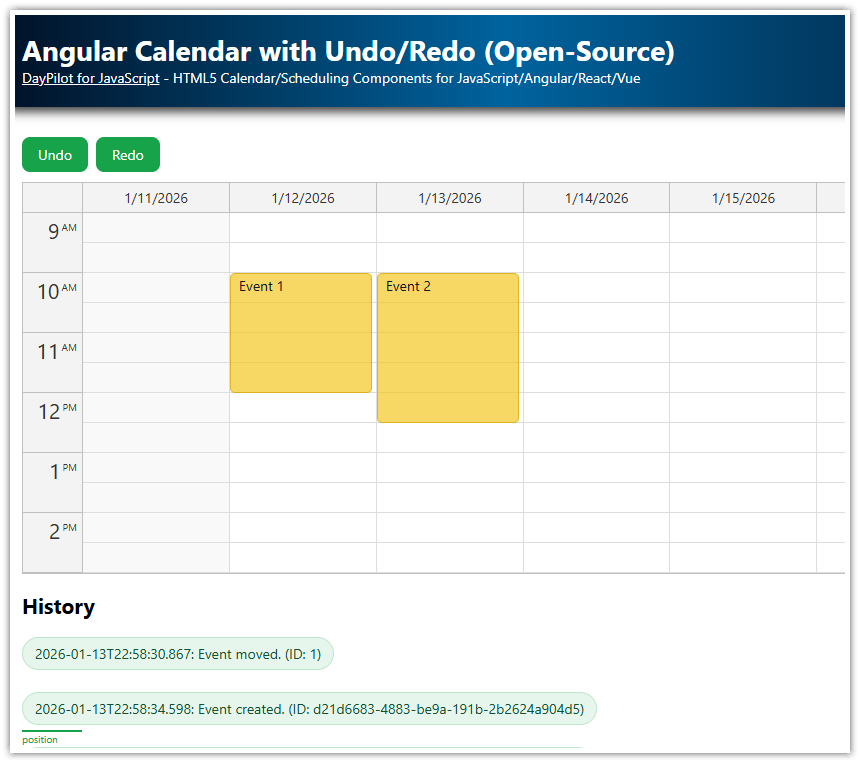
UndoServicerecordsadd,update, andremoveactions and exposesundo()andredo().The application displays styled Undo/Redo controls above the Scheduler and the full action history below it.
JavaScript Scheduler Component
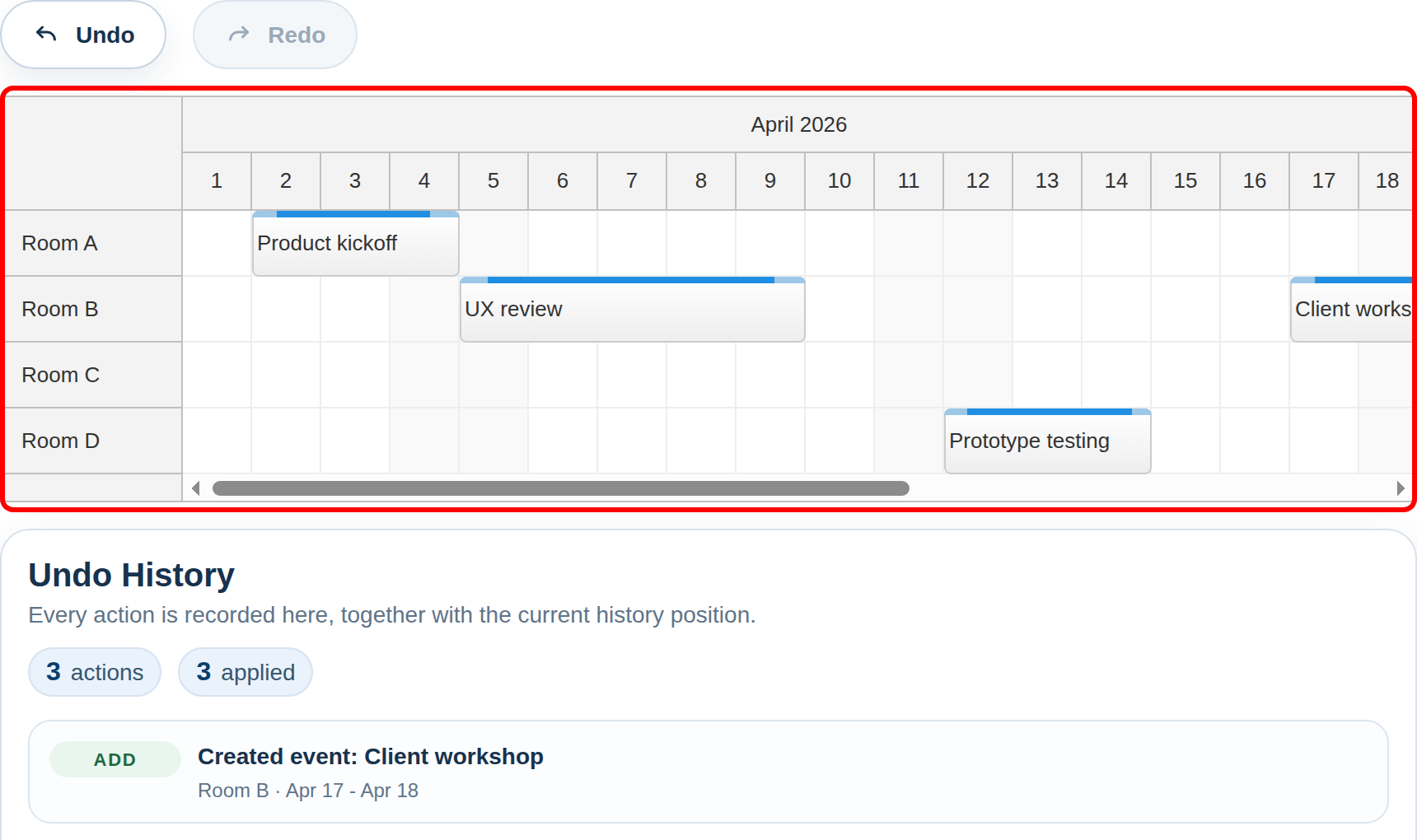
Start with the current Scheduler UI Builder and select the “JavaScript (NPM + Vite)” target. For a general overview of the component, see the JavaScript Scheduler documentation.
After downloading the project, install the dependencies and start the Vite development server:
npm install
npm run dev
The page layout stays intentionally simple: the styled Undo/Redo buttons sit directly above the Scheduler in index.html, and the history block follows below it. The main Scheduler instance lives in src/app.js. It uses a top-level dp object, enables create/move/resize/delete operations, and records those actions through app.service:
const dp = new DayPilot.Scheduler("dp", {
  timeRangeSelectedHandling: "Enabled",
  eventDeleteHandling: "Update",
  eventMoveHandling: "Update",
  eventResizeHandling: "Update",
  cellWidth: 42,
  days: monthDays,
  eventHeight: 40,
  headerHeight: 34,
  rowHeaderWidth: 110,
  startDate: monthStart,
  timeHeaders: [
    { groupBy: "Month" },
    { groupBy: "Day", format: "d" },
  ],
  scale: "Day",
  onTimeRangeSelected: async (args) => {
    const modal = await DayPilot.Modal.prompt("Create a new event:", "Planning session");
    dp.clearSelection();

    if (modal.canceled) {
      return;
    }

    const text = modal.result ? modal.result.trim() : "";
    if (!text) {
      return;
    }

    const event = {
      id: DayPilot.guid(),
      start: args.start,
      end: args.end,
      resource: args.resource,
      text,
    };

    dp.events.add(event);
    app.service.add(app.snapshotEvent(event), "Created event");
    app.updateHistory();
  },
  onEventMoved: (args) => {
    app.service.update(app.snapshotEvent(args.e), "Moved event");
    app.updateHistory();
  },
  onEventResized: (args) => {
    app.service.update(app.snapshotEvent(args.e), "Resized event");
    app.updateHistory();
  },
  onEventDeleted: (args) => {
    app.service.remove(app.snapshotEvent(args.e), "Removed event");
    app.updateHistory();
  },
});

dp.init();
The initial resources and events are loaded in app.init(). This method also calls service.initialize() with the starting event set so the undo service knows the current baseline state before the first user action:
init() {
  const initialEvents = events.map((event) => this.snapshotEvent(event));
  this.service.initialize(initialEvents);
  dp.update({ resources, events });
  this.bind();
  this.updateHistory();
},
Undo Service API
The main undo/redo logic is implemented in UndoService (src/undo-service.js). It is still a generic module, but this sample uses it with the Scheduler to record and replay client-side event changes.
Notes:
In this application, the items are raw event data objects (DayPilot event data). The service only requires an
id, but the sample stores the fullid/start/end/resource/textpayload so the UI can update the Scheduler and render the history details.The data items must be serializable using
JSON.stringify().
initialize(items)
The initialize() method clears the internal state and stores the initial event set.
The items parameter is an array of raw event data objects.
add(item[, text])
The add() method records an "add" action for the specified item.
update(item[, text])
The update() method records an "update" action for the specified item.
remove(item[, text])
The remove() method records a "remove" action for the specified item.
undo()
The undo() method moves one step back in the action history. It returns the last action object so the caller can update the Scheduler state accordingly.
redo()
The redo() method reapplies the next action in the history and returns that action object.
position
A property that returns the current position in the action history.
history
A property that returns an array of action objects.
canUndo
A property that returns true if the current state allows an Undo operation.
canRedo
A property that returns true if the current state allows a Redo operation.
Examples
Initialization (empty history):
const service = new UndoService();Initialization with the starting event set:
const service = new UndoService();
service.initialize([
  { id: "1", start: "2026-04-02T09:00:00", end: "2026-04-04T14:00:00", text: "Product kickoff", resource: "R1" },
]);
Recording a new event action:
const data = {
  id: "capture-added",
  start: "2026-04-17T09:00:00",
  end: "2026-04-18T14:00:00",
  text: "Client workshop",
  resource: "R2",
};

service.add(data, "Created event");
Performing an undo:
const action = service.undo();

/* action object:
{
  id: "capture-added",
  previous: null,
  current: {
    id: "capture-added",
    start: "2026-04-17T09:00:00",
    end: "2026-04-18T14:00:00",
    text: "Client workshop",
    resource: "R2"
  },
  text: "Created event",
  type: "add"
}
*/
The returned type, previous, and current values contain everything the caller needs to replay or revert the action using the Scheduler API.
Undo Button
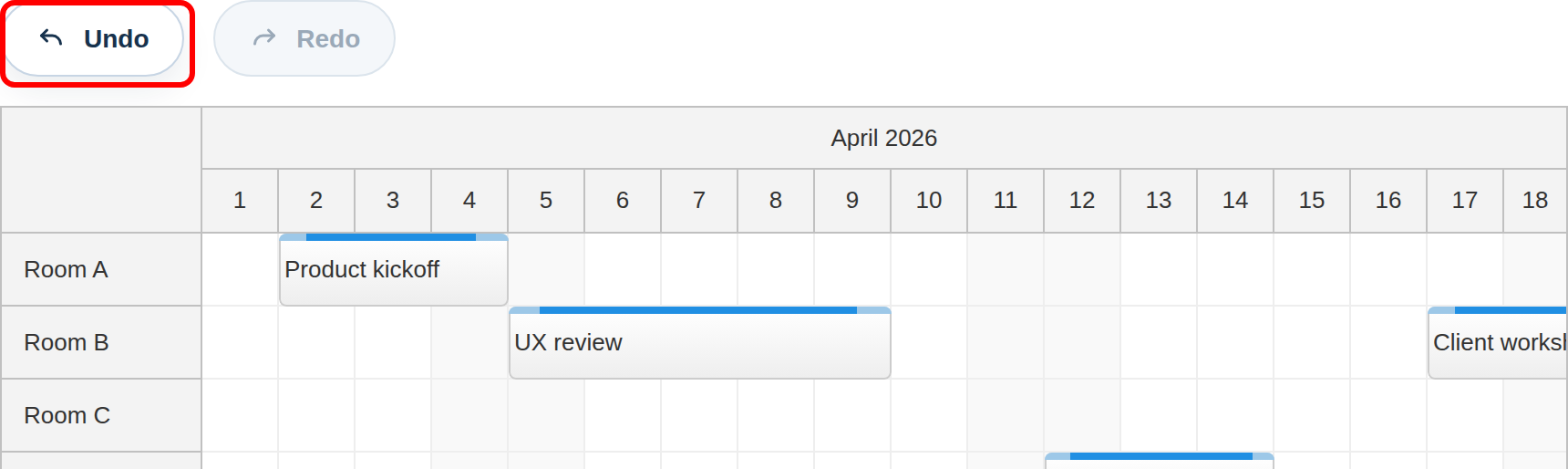
The Undo button is defined directly in index.html above the Scheduler. The icon comes from the shared public/icons/daypilot.svg sprite:
<button class="toolbar-button" id="undo" type="button" disabled>
  <svg class="toolbar-button__icon" viewBox="0 0 24 24" aria-hidden="true">
    <use href="/icons/daypilot.svg#undo"></use>
  </svg>
  <span>Undo</span>
</button>
The click binding in app.bind() is intentionally small:
elements.undo.addEventListener("click", () => {
  this.undo();
});
The actual undo logic lives in app.undo(). The method asks UndoService for the previous action and then updates the Scheduler based on the action type:
undo() {
  const record = this.service.undo();

  switch (record.type) {
    case "add":
      dp.events.remove(record.id);
      break;
    case "remove":
      dp.events.add(record.previous);
      break;
    case "update":
      dp.events.update(record.previous);
      break;
    default:
      throw new Error("Unsupported undo action type.");
  }

  dp.clearSelection();
  this.updateHistory();
},
The button state is refreshed in updateHistory() after every action:
elements.undo.disabled = !this.service.canUndo;
elements.redo.disabled = !this.service.canRedo;
Redo Button
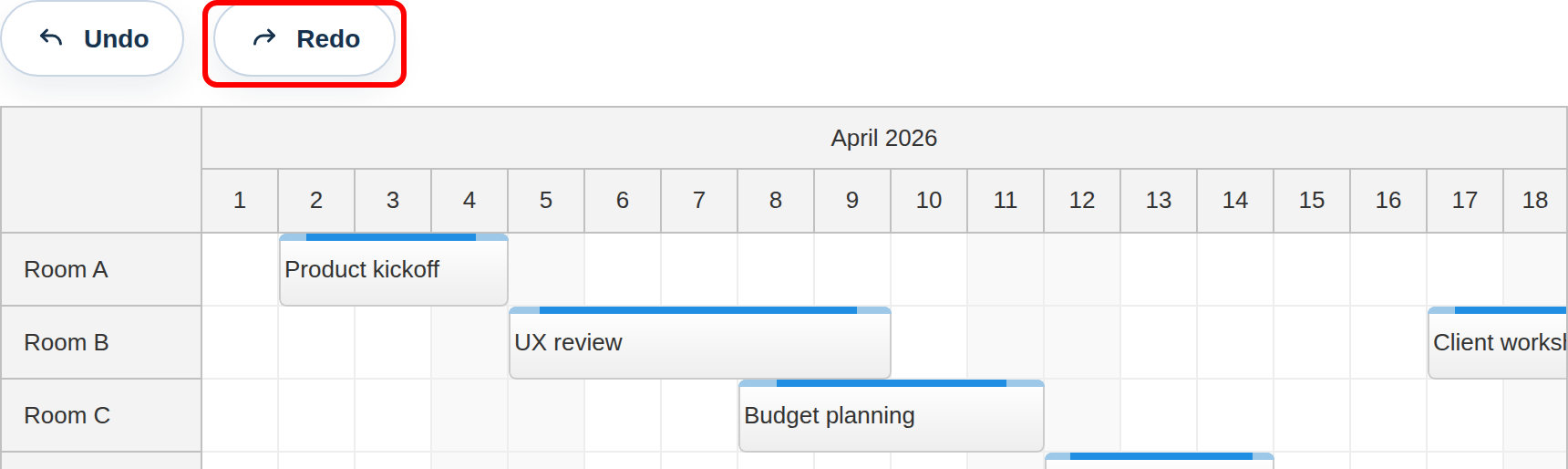
The Redo button uses the same markup pattern:
<button class="toolbar-button" id="redo" type="button" disabled>
  <svg class="toolbar-button__icon" viewBox="0 0 24 24" aria-hidden="true">
    <use href="/icons/daypilot.svg#redo"></use>
  </svg>
  <span>Redo</span>
</button>
Its click binding is equally small:
elements.redo.addEventListener("click", () => {
  this.redo();
});
app.redo() reapplies the next action in the history:
redo() {
  const record = this.service.redo();

  switch (record.type) {
    case "add":
      dp.events.add(record.current);
      break;
    case "remove":
      dp.events.remove(record.id);
      break;
    case "update":
      dp.events.update(record.current);
      break;
    default:
      throw new Error("Unsupported redo action type.");
  }

  dp.clearSelection();
  this.updateHistory();
},
Undo History
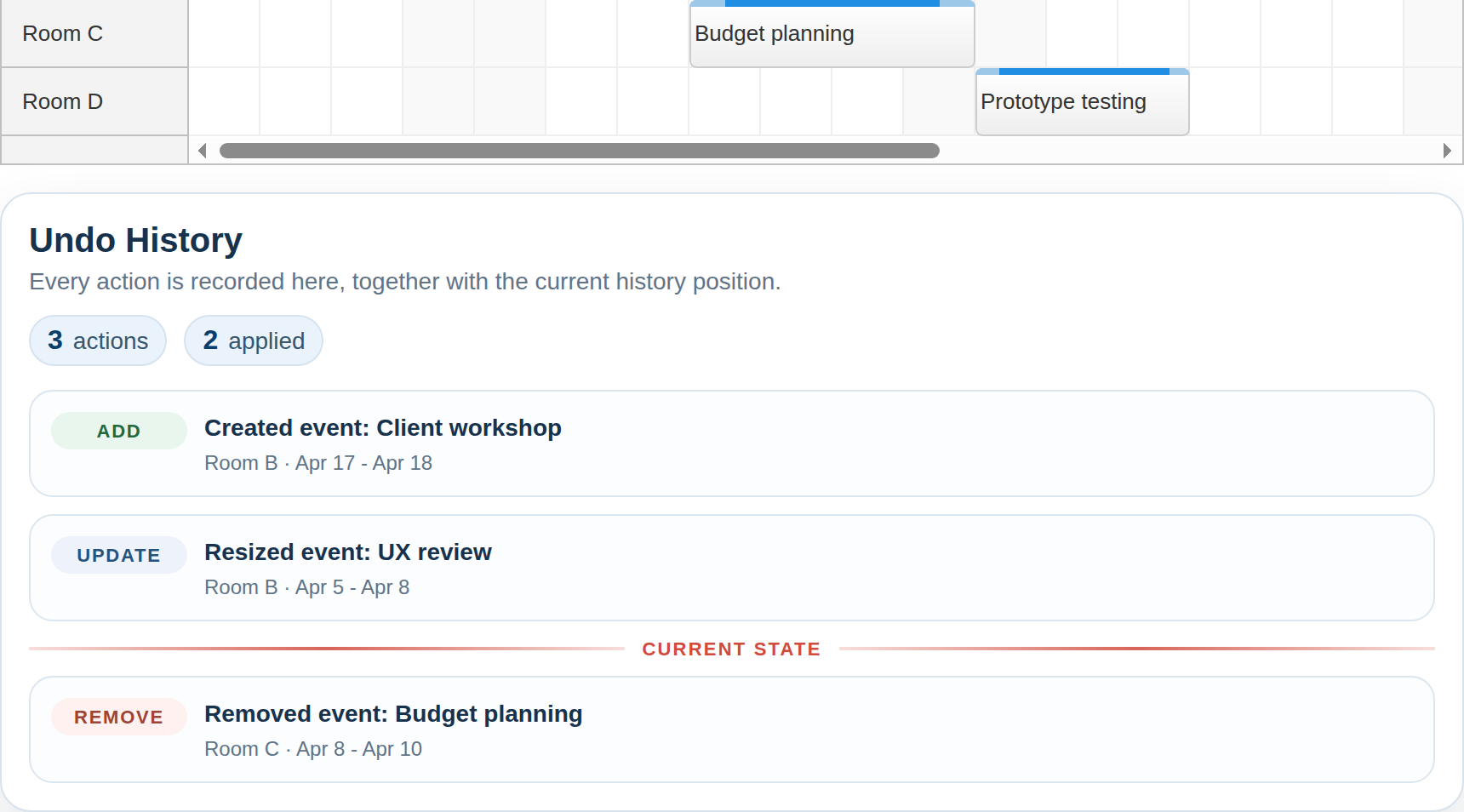
The full action list is available through UndoService.history, and the current position is available through UndoService.position. The history panel sits below the Scheduler and uses both values to render action badges, descriptive text, a metadata line, and the Current state marker between applied and unapplied actions.
insertPositionMarker(list) {
  const marker = document.createElement("li");
  marker.className = "history-position";
  marker.textContent = "Current state";
  list.appendChild(marker);
},

createHistoryItem(record) {
  const item = document.createElement("li");
  item.className = "history-item";

  const badge = document.createElement("span");
  badge.className = "history-item__badge history-item__badge--" + record.type;
  badge.textContent = record.type;

  const body = document.createElement("div");
  body.className = "history-item__body";

  const title = document.createElement("div");
  title.className = "history-item__title";
  title.textContent = record.text + ": " + this.actionTarget(record);

  const meta = document.createElement("div");
  meta.className = "history-item__meta";
  meta.textContent = this.actionMeta(record);

  body.appendChild(title);
  body.appendChild(meta);
  item.appendChild(badge);
  item.appendChild(body);

  return item;
},

updateHistory() {
  const history = this.service.history;
  elements.history.replaceChildren();

  history.forEach((record, index) => {
    if (index === this.service.position) {
      this.insertPositionMarker(elements.history);
    }
    elements.history.appendChild(this.createHistoryItem(record));
  });

  if (this.service.position === history.length) {
    this.insertPositionMarker(elements.history);
  }

  elements.historyEmpty.style.display = history.length ? "none" : "block";
  elements.history.style.display = history.length ? "grid" : "none";
  elements.historyCount.textContent = String(history.length);
  elements.historyPosition.textContent = String(this.service.position);
  elements.undo.disabled = !this.service.canUndo;
  elements.redo.disabled = !this.service.canRedo;
},
App Source Code
The complete client-side application lives in src/app.js:
import { DayPilot } from "@daypilot/daypilot-lite-javascript";
import { UndoService } from "./undo-service.js";
import "./styles.css";

const monthStart = DayPilot.Date.today().firstDayOfMonth();
const monthDays = monthStart.daysInMonth();

const resources = [
  { name: "Room A", id: "R1" },
  { name: "Room B", id: "R2" },
  { name: "Room C", id: "R3" },
  { name: "Room D", id: "R4" },
];

const events = [
  {
    id: "1",
    start: monthStart.addDays(1).addHours(9),
    end: monthStart.addDays(3).addHours(14),
    text: "Product kickoff",
    resource: "R1",
  },
  {
    id: "2",
    start: monthStart.addDays(4).addHours(10),
    end: monthStart.addDays(6).addHours(13),
    text: "UX review",
    resource: "R2",
  },
  {
    id: "3",
    start: monthStart.addDays(7).addHours(12),
    end: monthStart.addDays(10).addHours(12),
    text: "Budget planning",
    resource: "R3",
  },
  {
    id: "4",
    start: monthStart.addDays(11).addHours(8),
    end: monthStart.addDays(13).addHours(17),
    text: "Prototype testing",
    resource: "R4",
  },
];

const resourceNames = new Map(resources.map((resource) => [resource.id, resource.name]));

const elements = {
  history: document.querySelector("#history"),
  historyCount: document.querySelector("#history-count"),
  historyEmpty: document.querySelector("#history-empty"),
  historyPosition: document.querySelector("#history-position"),
  redo: document.querySelector("#redo"),
  undo: document.querySelector("#undo"),
};

const dp = new DayPilot.Scheduler("dp", {
  timeRangeSelectedHandling: "Enabled",
  eventDeleteHandling: "Update",
  eventMoveHandling: "Update",
  eventResizeHandling: "Update",
  cellWidth: 42,
  days: monthDays,
  eventHeight: 40,
  headerHeight: 34,
  rowHeaderWidth: 110,
  startDate: monthStart,
  timeHeaders: [
    { groupBy: "Month" },
    { groupBy: "Day", format: "d" },
  ],
  scale: "Day",
  onTimeRangeSelected: async (args) => {
    const modal = await DayPilot.Modal.prompt("Create a new event:", "Planning session");
    dp.clearSelection();

    if (modal.canceled) {
      return;
    }

    const text = modal.result ? modal.result.trim() : "";
    if (!text) {
      return;
    }

    const event = {
      id: DayPilot.guid(),
      start: args.start,
      end: args.end,
      resource: args.resource,
      text,
    };

    dp.events.add(event);
    app.service.add(app.snapshotEvent(event), "Created event");
    app.updateHistory();
  },
  onEventMoved: (args) => {
    app.service.update(app.snapshotEvent(args.e), "Moved event");
    app.updateHistory();
  },
  onEventResized: (args) => {
    app.service.update(app.snapshotEvent(args.e), "Resized event");
    app.updateHistory();
  },
  onEventDeleted: (args) => {
    app.service.remove(app.snapshotEvent(args.e), "Removed event");
    app.updateHistory();
  },
});

dp.init();

const app = {
  service: new UndoService(),

  init() {
    const initialEvents = events.map((event) => this.snapshotEvent(event));
    this.service.initialize(initialEvents);
    dp.update({ resources, events });
    this.bind();
    this.updateHistory();
  },

  bind() {
    elements.undo.addEventListener("click", () => {
      this.undo();
    });

    elements.redo.addEventListener("click", () => {
      this.redo();
    });
  },

  snapshotEvent(eventLike) {
    const data = eventLike && eventLike.data ? eventLike.data : eventLike;
    return {
      id: data.id,
      start: data.start,
      end: data.end,
      resource: data.resource,
      text: data.text,
    };
  },

  actionTarget(record) {
    const source = record.current || record.previous;
    return source && source.text ? source.text : "Untitled event";
  },

  actionMeta(record) {
    const source = record.current || record.previous;
    if (!source) {
      return "";
    }

    const resourceName = resourceNames.get(source.resource) || source.resource || "Unassigned";
    const start = new DayPilot.Date(source.start).toString("MMM d");
    const end = new DayPilot.Date(source.end).addDays(-1).toString("MMM d");
    const range = start === end ? start : start + " - " + end;
    return resourceName + " · " + range;
  },

  insertPositionMarker(list) {
    const marker = document.createElement("li");
    marker.className = "history-position";
    marker.textContent = "Current state";
    list.appendChild(marker);
  },

  createHistoryItem(record) {
    const item = document.createElement("li");
    item.className = "history-item";

    const badge = document.createElement("span");
    badge.className = "history-item__badge history-item__badge--" + record.type;
    badge.textContent = record.type;

    const body = document.createElement("div");
    body.className = "history-item__body";

    const title = document.createElement("div");
    title.className = "history-item__title";
    title.textContent = record.text + ": " + this.actionTarget(record);

    const meta = document.createElement("div");
    meta.className = "history-item__meta";
    meta.textContent = this.actionMeta(record);

    body.appendChild(title);
    body.appendChild(meta);
    item.appendChild(badge);
    item.appendChild(body);

    return item;
  },

  updateHistory() {
    const history = this.service.history;
    elements.history.replaceChildren();

    history.forEach((record, index) => {
      if (index === this.service.position) {
        this.insertPositionMarker(elements.history);
      }
      elements.history.appendChild(this.createHistoryItem(record));
    });

    if (this.service.position === history.length) {
      this.insertPositionMarker(elements.history);
    }

    elements.historyEmpty.style.display = history.length ? "none" : "block";
    elements.history.style.display = history.length ? "grid" : "none";
    elements.historyCount.textContent = String(history.length);
    elements.historyPosition.textContent = String(this.service.position);
    elements.undo.disabled = !this.service.canUndo;
    elements.redo.disabled = !this.service.canRedo;
  },

  undo() {
    const record = this.service.undo();

    switch (record.type) {
      case "add":
        dp.events.remove(record.id);
        break;
      case "remove":
        dp.events.add(record.previous);
        break;
      case "update":
        dp.events.update(record.previous);
        break;
      default:
        throw new Error("Unsupported undo action type.");
    }

    dp.clearSelection();
    this.updateHistory();
  },

  redo() {
    const record = this.service.redo();

    switch (record.type) {
      case "add":
        dp.events.add(record.current);
        break;
      case "remove":
        dp.events.remove(record.id);
        break;
      case "update":
        dp.events.update(record.current);
        break;
      default:
        throw new Error("Unsupported redo action type.");
    }

    dp.clearSelection();
    this.updateHistory();
  },
};

app.init();

window.dp = dp;
window.app = app;
History
April 20, 2026: Converted the sample to DayPilot Lite, refreshed the UI and screenshots.