DayPilot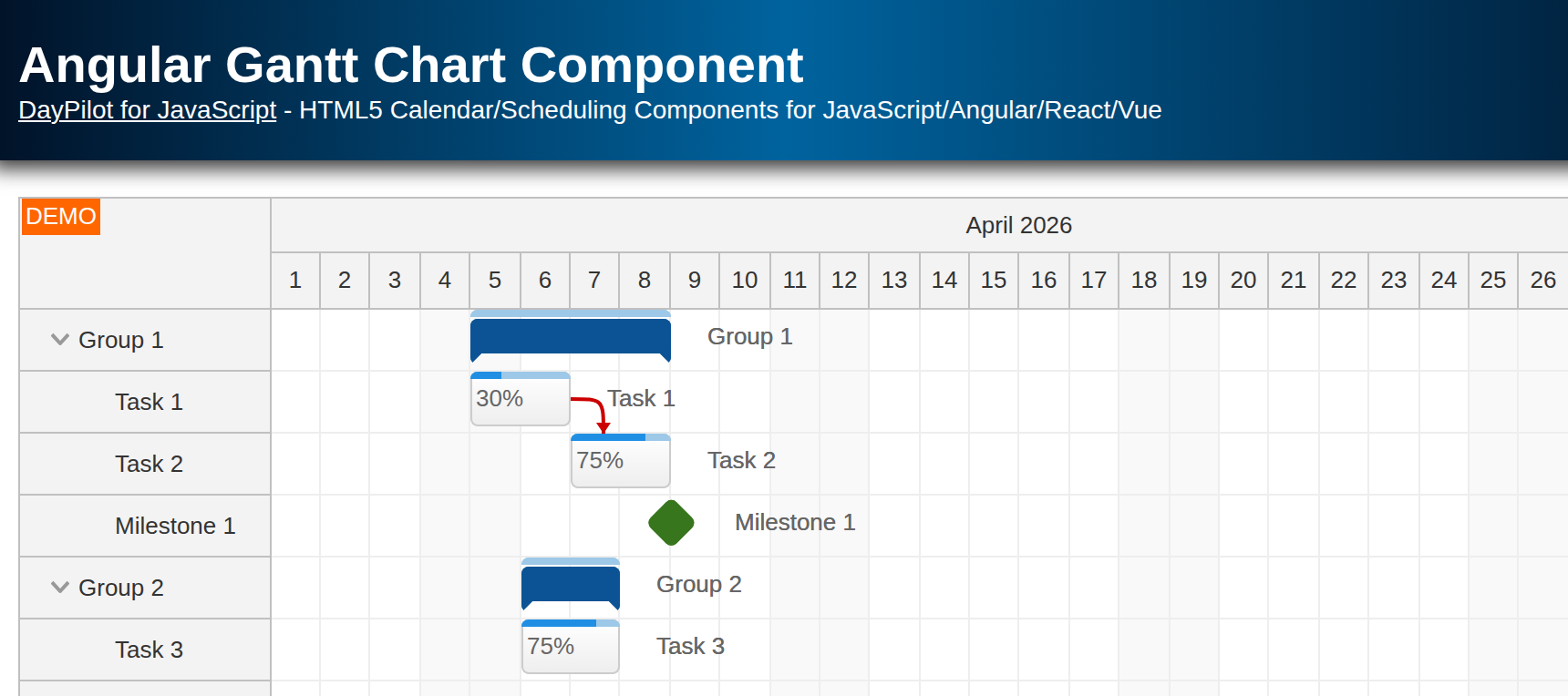
| Downloads | |
|---|---|
| Languages | TypeScriptphp |
| Technologies | angularMySQLsqlite |
Features
Angular 21 Frontend
Angular 21 standalone application
Written in TypeScript
Loads Gantt chart tasks and dependency links from a PHP backend
Drag-and-drop support for task moving, task resizing, and row moving
Task creation using the built-in new row editor
Task deletion using a custom hover icon
Uses the Angular Gantt Chart component from DayPilot Pro for JavaScript (trial)
PHP Backend
Uses a simple JSON API with REST-style endpoints
Stores Gantt data in a local SQLite database by default, with MySQL support available
Persists the task hierarchy and dependency links
License
Licensed for testing and evaluation purposes. See LICENSE.md in the sample project. You may use the source code from this tutorial if you are a licensed DayPilot Pro for JavaScript user. Buy a license.
New Angular Project
We will use Angular CLI to create a new frontend project. In the downloadable sample, the Angular application lives in frontend/ and the PHP backend lives in backend/.
ng new frontendAdding DayPilot Gantt to the Angular Project
Install the DayPilot Angular package from the DayPilot NPM repository:
cd frontend
npm install https://npm.daypilot.org/daypilot-pro-angular/trial/2026.2.6899.tar.gz
With Angular 21 and standalone components, there is no separate Angular module for the Gantt chart. You import DayPilotModule directly in the component that hosts the control.
Angular Gantt Chart Component
We will create a new component that wraps the Angular Gantt Chart component. It keeps the DayPilot configuration, the loaded task and link data, and the event-handling logic in one place.
The initial component can look like this:
frontend/src/app/gantt/gantt.component.ts
import { Component, ViewChild, signal } from '@angular/core';
import { DayPilot, DayPilotGanttComponent, DayPilotModule } from 'daypilot-pro-angular';
import { DataService } from './data.service';

@Component({
  selector: 'gantt-component',
  standalone: true,
  imports: [DayPilotModule],
  providers: [DataService],
  template: `<daypilot-gantt [config]="config" [tasks]="tasks" [links]="links" #gantt></daypilot-gantt>`,
  styles: [``],
})
export class GanttComponent {
  @ViewChild('gantt')
  gantt!: DayPilotGanttComponent;

  tasks = signal<DayPilot.TaskData[]>([]);

  links = signal<DayPilot.LinkData[]>([]);

  config = signal<DayPilot.GanttConfig>({});

  constructor(private ds: DataService) {
  }
}
The generated Angular 21 shell already wires this component into the application, so there is no need to spend time on bootstrap files that are not specific to this tutorial.
Gantt Chart Component Configurator
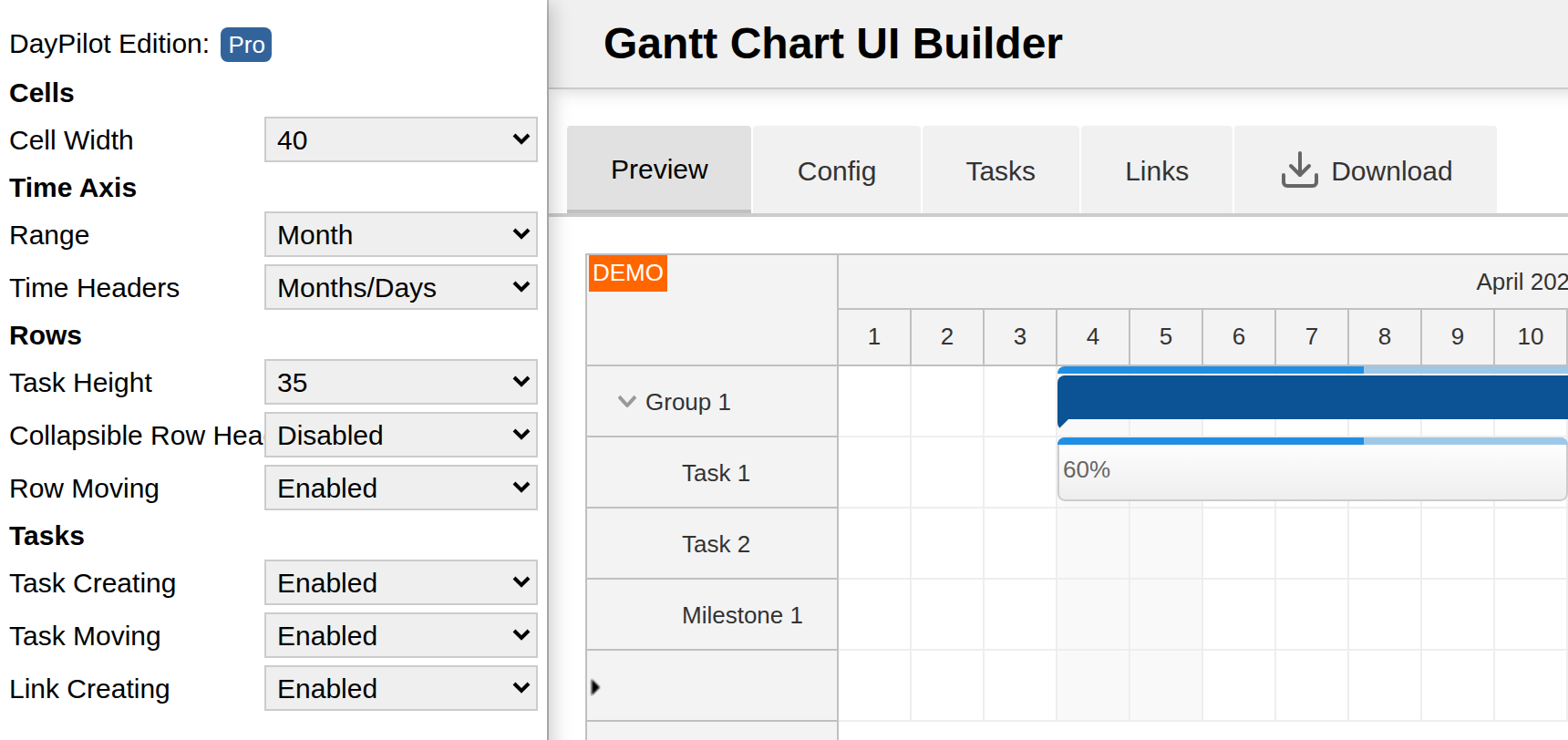
Instead of creating the Angular project from scratch and configuring the Gantt chart component manually, you can also use the Gantt Chart UI Builder. It lets you configure the control visually, test the changes in a live preview, and generate an Angular starter project that already uses the standalone component structure.
Running the Angular Project

Now we can verify that everything is installed correctly by running the Angular application:
cd frontend
npm start
You should see an empty Gantt chart showing the current month. The sample project already starts Angular with the PHP proxy configuration enabled.
Gantt Chart Configuration

Now we can start configuring the Gantt chart. The main configuration sets the visible date range to the current month, enables the built-in editing modes we need later, and displays a two-level time header:
We pass the DayPilot settings using the [config] input, and we keep the #gantt template reference so the component can access the DayPilot control instance when needed.
At this stage, the first working version relies on the following DayPilot properties and inputs:
startDate sets the first visible day. In the current sample, it is the first day of the current month.
days sets the number of visible days. Here it uses the number of days in the current month.
cellWidthSpec is set to
'Auto'so the grid width matches the control width and avoids unnecessary horizontal scrolling or blank space.tasks supplies the task data. In Angular, the wrapper receives it through the
[tasks]binding, which we will first populate with a single local item and then replace with backend data in the next step.
frontend/src/app/gantt/gantt.component.ts
readonly month = DayPilot.Date.today().firstDayOfMonth();

config = signal<DayPilot.GanttConfig>({
  scale: 'Day',
  startDate: this.month,
  days: this.month.daysInMonth(),
  timeHeaders: [
    { groupBy: 'Month' },
    { groupBy: 'Day', format: 'd' },
  ],
  cellWidthSpec: 'Auto',
  taskHeight: 30,
  rowHeaderHideIconEnabled: false,
  rowMoveHandling: 'Update',
  taskMoveHandling: 'Update',
  taskResizeHandling: 'Update',
  linkCreateHandling: 'Update',
  rowCreateHandling: 'Enabled',
});
For a quick smoke test, you can initialize the task list with a single local item:
frontend/src/app/gantt/gantt.component.ts
tasks = signal<DayPilot.TaskData[]>([
  {
    id: 1,
    text: 'Task 1',
    start: this.month.addDays(4).toString(),
    end: this.month.addDays(6).toString(),
    complete: 50,
  },
]);
The downloadable sample replaces this placeholder with data loaded from the PHP backend in the next step.
Loading Gantt Tasks from PHP Backend
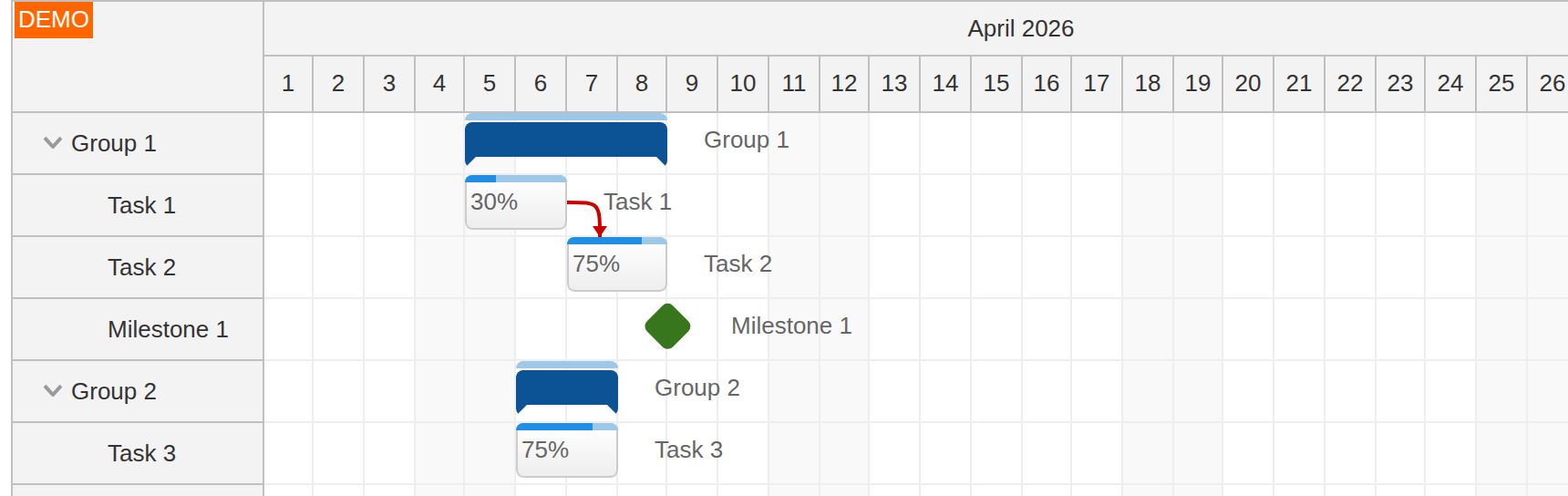
PHP Project
The PHP API lives in backend/api/. By default, it uses SQLite and creates backend/daypilot.sqlite automatically on first run. That first run also initializes the schema and sample data. If you want to use MySQL instead, switch the include in backend/api/_db.php and update the connection settings in backend/api/_db_mysql.php.
backend/api/_db.php
<?php

declare(strict_types=1);

// Use SQLite by default.
require_once __DIR__ . '/_db_sqlite.php';

// Switch to MySQL by uncommenting the following line.
// require_once __DIR__ . '/_db_mysql.php';
Database Schema
Database schema (SQLite):
CREATE TABLE task (
    id INTEGER PRIMARY KEY,
    name TEXT,
    start DATETIME,
    `end` DATETIME,
    parent_id INTEGER,
    milestone BOOLEAN DEFAULT (0) NOT NULL,
    ordinal INTEGER NOT NULL,
    ordinal_priority DATETIME NOT NULL,
    complete INTEGER DEFAULT (0) NOT NULL
);

CREATE TABLE link (
    id INTEGER PRIMARY KEY AUTOINCREMENT,
    from_id INTEGER NOT NULL,
    to_id INTEGER NOT NULL,
    type VARCHAR(100) NOT NULL
);
Database schema (MySQL):
CREATE TABLE task (
    id INTEGER PRIMARY KEY AUTO_INCREMENT,
    name TEXT,
    start DATETIME,
    `end` DATETIME,
    parent_id INTEGER,
    milestone BOOLEAN DEFAULT 0 NOT NULL,
    ordinal INTEGER NOT NULL,
    ordinal_priority DATETIME NOT NULL,
    complete INTEGER DEFAULT 0 NOT NULL
);

CREATE TABLE link (
    id INTEGER PRIMARY KEY AUTO_INCREMENT,
    from_id INTEGER NOT NULL,
    to_id INTEGER NOT NULL,
    type VARCHAR(100) NOT NULL
);
Loading Tasks from the Backend (JSON Format)
The task endpoint returns the hierarchy in the format required by tasks.list. When seeded with the default April 2026 sample data, it looks like this:
[
  {
    "id": 1,
    "text": "Group 1",
    "start": null,
    "end": null,
    "complete": 0,
    "children": [
      {
        "id": 2,
        "text": "Task 1",
        "start": "2026-04-05T00:00:00",
        "end": "2026-04-07T00:00:00",
        "complete": 30
      },
      {
        "id": 3,
        "text": "Task 2",
        "start": "2026-04-07T00:00:00",
        "end": "2026-04-09T00:00:00",
        "complete": 75
      },
      {
        "id": 4,
        "text": "Milestone 1",
        "start": "2026-04-09T00:00:00",
        "end": "2026-04-09T00:00:00",
        "complete": 0,
        "type": "Milestone"
      }
    ]
  }
]
The current implementation of backend_tasks.php returns raw task names and normalizes the date values so SQLite and MySQL produce the same JSON shape:
backend/api/backend_tasks.php
<?php

declare(strict_types=1);

require_once __DIR__ . '/_db.php';

$result = task_list(db_get_tasks(null));

header('Content-Type: application/json');
echo json_encode($result);

function task_list(array $items): array
{
    $result = [];

    foreach ($items as $item) {
        $task = [
            'id' => (int) $item['id'],
            'text' => (string) $item['name'],
            'start' => normalize_task_date($item['start']),
            'end' => normalize_task_date($item['end']),
            'complete' => (int) $item['complete'],
        ];

        if ((bool) $item['milestone']) {
            $task['type'] = 'Milestone';
        }

        $children = db_get_tasks((int) $item['id']);

        if (!empty($children)) {
            $task['children'] = task_list($children);
        }

        $result[] = $task;
    }

    return $result;
}

function normalize_task_date(?string $value): ?string
{
    if ($value === null) {
        return null;
    }

    return str_replace(' ', 'T', $value);
}
The Angular client loads both tasks and links through a dedicated data service:
frontend/src/app/gantt/data.service.ts
getTasks(): Observable<DayPilot.TaskData[]> {
  return this.http.get<DayPilot.TaskData[]>('/api/backend_tasks.php');
}

getLinks(): Observable<DayPilot.LinkData[]> {
  return this.http.get<DayPilot.LinkData[]>('/api/backend_links.php');
}
The component fetches both datasets after the DayPilot control is ready:
frontend/src/app/gantt/gantt.component.ts
import { AfterViewInit, Component, ViewChild, signal } from '@angular/core';
import { firstValueFrom } from 'rxjs';

export class GanttComponent implements AfterViewInit {
  // ...

  ngAfterViewInit(): void {
    void this.loadData();
  }

  private async loadData(): Promise<void> {
    const [tasks, links] = await Promise.all([
      firstValueFrom(this.ds.getTasks()),
      firstValueFrom(this.ds.getLinks()),
    ]);

    this.tasks.set(tasks);
    this.links.set(links);
  }
}
Running the PHP Backend
Run the backend using the PHP built-in web server on port 8090:
Linux/macOS
php -S 127.0.0.1:8090 -t backendWindows
C:\PHP\php.exe -S 127.0.0.1:8090 -t C:\Users\daypilot\Tutorials\angular-gantt-php\backendBackend Proxy in the Angular Application
We will access the PHP backend through a relative /api/* URL. The Angular app uses the standard Angular CLI proxy configuration:
frontend/proxy.conf.json
{
  "/api": {
    "target": "http://localhost:8090",
    "secure": false
  }
}
If you start Angular manually, use:
ng serve --proxy-config proxy.conf.jsonIn the sample project, npm start already runs that exact command.
Gantt Chart: Task Moving
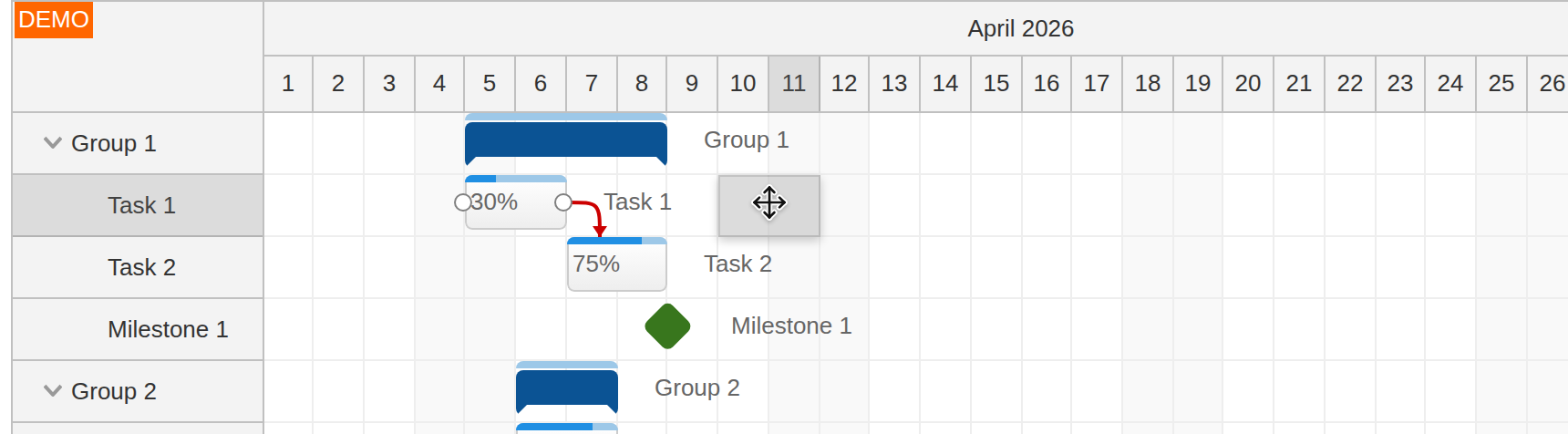
Task moving uses DayPilot's built-in drag-and-drop behavior. With taskMoveHandling set to 'Update', the control applies the visual change immediately, and onTaskMoved only needs to persist the new dates to the backend.
frontend/src/app/gantt/gantt.component.ts
onTaskMoved: async (args) => {
  const params: MoveTaskParams = {
    id: args.task.id(),
    start: args.newStart.toString(),
    end: args.newEnd.toString(),
  };

  await firstValueFrom(this.ds.moveTask(params));
  this.gantt.control.message('Moved.');
},
frontend/src/app/gantt/data.service.ts
moveTask(data: MoveTaskParams): Observable<ApiResult> {
  return this.http.post<ApiResult>('/api/backend_move.php', data);
}

export interface MoveTaskParams {
  id: string | number;
  start: string;
  end: string;
}
backend/api/backend_move.php
<?php

declare(strict_types=1);

require_once __DIR__ . '/_db.php';

$params = json_decode(file_get_contents('php://input') ?: '{}');

db_update_task((int) $params->id, (string) $params->start, (string) $params->end);

header('Content-Type: application/json');
echo json_encode(['result' => 'OK']);
Gantt Chart: Task Resizing
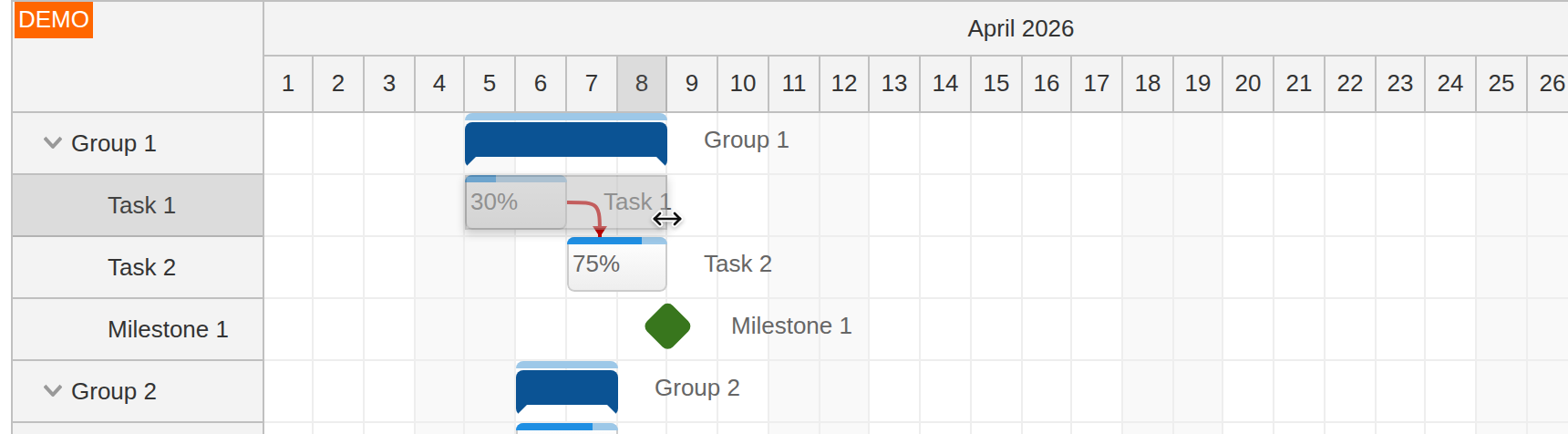
Task resizing works the same way. We reuse the same backend endpoint and only change the handler that sends the updated start/end values.
frontend/src/app/gantt/gantt.component.ts
onTaskResized: async (args) => {
  const params: MoveTaskParams = {
    id: args.task.id(),
    start: args.newStart.toString(),
    end: args.newEnd.toString(),
  };

  await firstValueFrom(this.ds.moveTask(params));
  this.gantt.control.message('Resized.');
},
This calls the existing backend_move.php endpoint shown above.
Row Moving
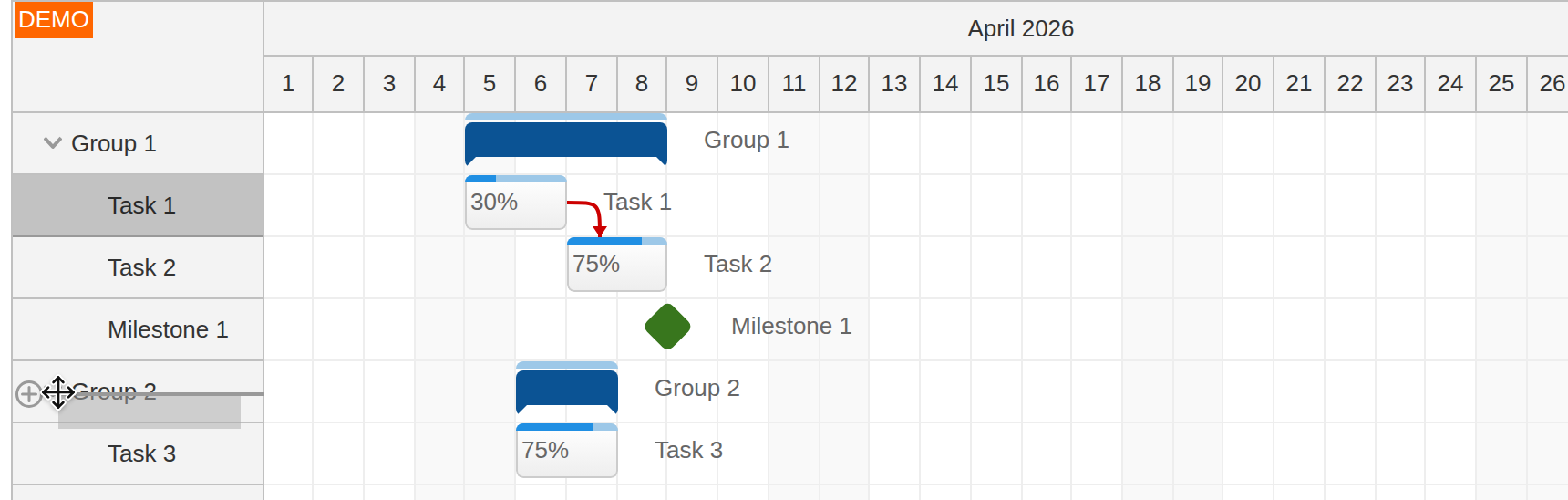
The Gantt chart task hierarchy can be rearranged using drag-and-drop. When the row position changes, onRowMoved persists the new parent/ordinal information.
frontend/src/app/gantt/gantt.component.ts
onRowMoved: async (args) => {
  if (args.position === 'forbidden') {
    return;
  }

  const params: MoveRowParams = {
    source: args.source.id(),
    target: args.target.id(),
    position: args.position,
  };

  await firstValueFrom(this.ds.moveRow(params));
  this.gantt.control.message('Moved.');
},
frontend/src/app/gantt/data.service.ts
moveRow(data: MoveRowParams): Observable<ApiResult> {
  return this.http.post<ApiResult>('/api/backend_row_move.php', data);
}

export interface MoveRowParams {
  source: string | number;
  target: string | number;
  position: 'before' | 'after' | 'child';
}
backend/api/backend_row_move.php
<?php

declare(strict_types=1);

require_once __DIR__ . '/_db.php';

$max = 100000;
$params = json_decode(file_get_contents('php://input') ?: '{}');

$source = db_get_task((int) $params->source);
$target = db_get_task((int) $params->target);

$sourceParentId = $source ? $source["parent_id"] : null;
$targetParentId = $target ? $target["parent_id"] : null;
$targetOrdinal = $target ? (int) $target["ordinal"] : 0;

switch ($params->position) {
    case "before":
        db_update_task_parent($source["id"], $targetParentId, $targetOrdinal);
        break;
    case "after":
        db_update_task_parent($source["id"], $targetParentId, $targetOrdinal + 1);
        break;
    case "child":
        db_update_task_parent($source["id"], $target["id"], $max);
        $targetParentId = $target["id"];
        break;
    case "forbidden":
        break;
}

db_compact_ordinals($sourceParentId);

if ($sourceParentId != $targetParentId) {
    db_compact_ordinals($targetParentId);
}

header('Content-Type: application/json');
echo json_encode(['result' => 'OK']);
Creating New Tasks in the Gantt Chart
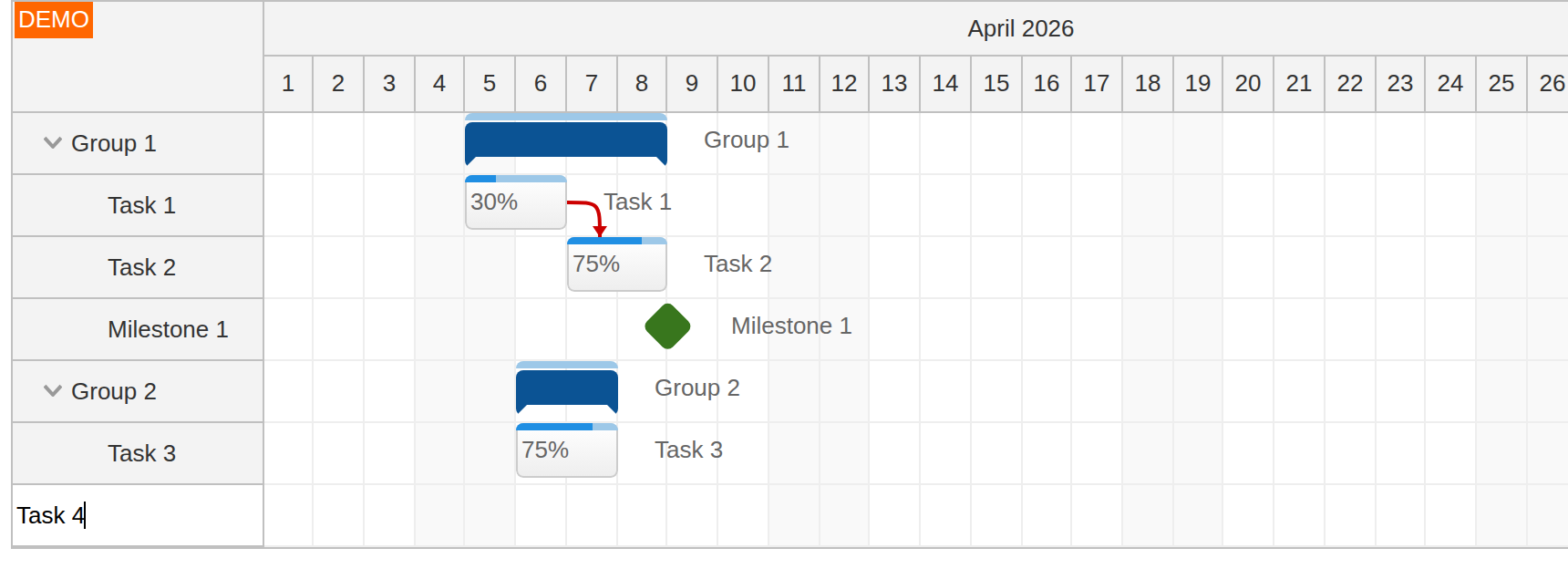
Now we will let users add new tasks directly in the Gantt chart. One of the easiest ways to enable task creation is the built-in new row editor at the bottom of the grid. It is enabled by setting rowCreateHandling: 'Enabled'.
When the user confirms the task name, the Gantt chart fires onRowCreated. In this handler, we save the new task to the database and then add it to the control using the returned database ID.
frontend/src/app/gantt/gantt.component.ts
rowCreateHandling: 'Enabled',
onRowCreated: async (args) => {
  const start = new DayPilot.Date(this.gantt.control.startDate);
  const params: CreateRowParams = {
    start: start.toString(),
    end: start.addDays(1).toString(),
    name: args.text,
  };

  const result = await firstValueFrom(this.ds.createRow(params));

  this.gantt.control.tasks.add({
    id: result.id,
    text: params.name,
    start: params.start,
    end: params.end,
    complete: 0,
  });

  this.gantt.control.message('Created.');
},
frontend/src/app/gantt/data.service.ts
createRow(data: CreateRowParams): Observable<CreateRowResult> {
  return this.http.post<CreateRowResult>('/api/backend_create.php', data);
}

export interface CreateRowParams {
  start: string;
  end: string;
  name: string;
}

export interface CreateRowResult extends ApiResult {
  id: string | number;
}
backend/api/backend_create.php
<?php

declare(strict_types=1);

require_once __DIR__ . '/_db.php';

$params = json_decode(file_get_contents('php://input') ?: '{}');
$now = (new DateTimeImmutable("now", new DateTimeZone("UTC")))->format('Y-m-d H:i:s');
$ordinal = db_get_max_ordinal(null) + 1;

$stmt = $db->prepare(
    "INSERT INTO task (name, start, `end`, ordinal, ordinal_priority)
     VALUES (:name, :start, :end, :ordinal, :priority)"
);
$stmt->bindValue(':name', (string) $params->name);
$stmt->bindValue(':start', (string) $params->start);
$stmt->bindValue(':end', (string) $params->end);
$stmt->bindValue(':ordinal', $ordinal);
$stmt->bindValue(':priority', $now);
$stmt->execute();

$id = (int) $db->lastInsertId();

header('Content-Type: application/json');
echo json_encode([
    'result' => 'OK',
    'message' => 'Created with id: ' . $id,
    'id' => $id,
]);
Deleting Tasks in the Gantt Chart
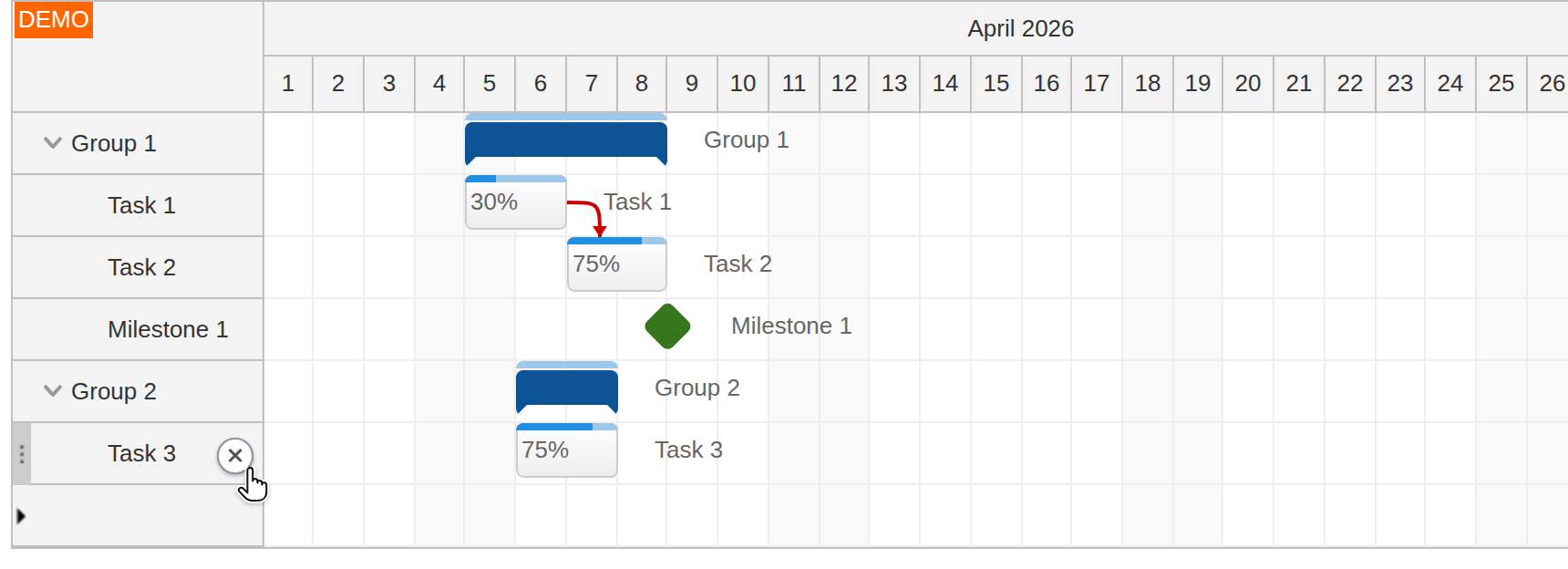
There is no built-in task delete icon, but we can add one using the row customization event handler onBeforeRowHeaderRender. In the current version, the delete action removes the selected task subtree and any links connected to it.
frontend/src/app/gantt/gantt.component.ts
function collectTaskIds(task: DayPilot.Task): Set<string> {
  const ids = new Set<string>([String(task.id())]);

  for (const child of task.children()) {
    for (const id of collectTaskIds(child)) {
      ids.add(id);
    }
  }

  return ids;
}

onBeforeRowHeaderRender: (args) => {
  const rowId = args.row.id;
  const deleteParams: DeleteTaskParams = { id: rowId };

  args.row.areas = [
    {
      right: 6,
      top: 8,
      width: 20,
      height: 20,
      padding: 4,
      symbol: "icons/daypilot.svg#x-2",
      fontColor: '#666',
      backColor: '#ffffffcc',
      borderRadius: '50%',
      visibility: 'Hover',
      style: 'cursor: pointer;',
      onClick: async () => {
        const task = this.gantt.control.tasks.find(String(rowId));
        if (!task) {
          return;
        }

        const taskIds = collectTaskIds(task);
        await firstValueFrom(this.ds.deleteTask(deleteParams));

        for (const link of [...this.gantt.control.links.list]) {
          if (taskIds.has(String(link.from)) || taskIds.has(String(link.to))) {
            this.gantt.control.links.remove(new DayPilot.Link(link));
          }
        }

        this.gantt.control.tasks.remove(task);
        this.gantt.control.message('Deleted.');
      },
    },
  ];
},
frontend/src/app/gantt/data.service.ts
deleteTask(data: DeleteTaskParams): Observable<ApiResult> {
  return this.http.post<ApiResult>('/api/backend_task_delete.php', data);
}

export interface DeleteTaskParams {
  id: string | number;
}
backend/api/backend_task_delete.php
<?php

declare(strict_types=1);

require_once __DIR__ . '/_db.php';

$params = json_decode(file_get_contents('php://input') ?: '{}');

db_delete_task_tree((int) $params->id);

header('Content-Type: application/json');
echo json_encode(['result' => 'OK']);
The endpoint delegates the subtree cleanup to db_delete_task_tree() in backend/api/_db_common.php, which also removes any dependency links that point to the deleted tasks.
History
April 10, 2026: Upgraded to Angular 21 standalone architecture, refreshed the PHP backend, updated the project layout to
frontend/+backend/.December 20, 2020: Upgraded to Angular 11, DayPilot Pro 2020.4; saving new links to the database
August 3, 2020: Upgraded to Angular 10, DayPilot Pro 2020.3
September 5, 2019: Upgraded to Angular 8, DayPilot Pro 2019.2.3871
June 13, 2018: Upgraded to Angular 6, DayPilot Pro for JavaScript 2018.2.3297
April 12, 2017: Upgraded to Angular 4 and Angular CLI 1.0; added a standalone Gantt module
December 13, 2016: Initial release (Angular 2)