DayPilot
| Demo | |
|---|---|
| Downloads | |
| Repository | |
| Languages | JavaScript |
| Code License | Apache License 2.0 (Open-Source) |
Overview
You can highlight holiday cells using
onBeforeCellRender.This JavaScript Scheduler sample uses the open-source DayPilot Lite for JavaScript scheduling library.
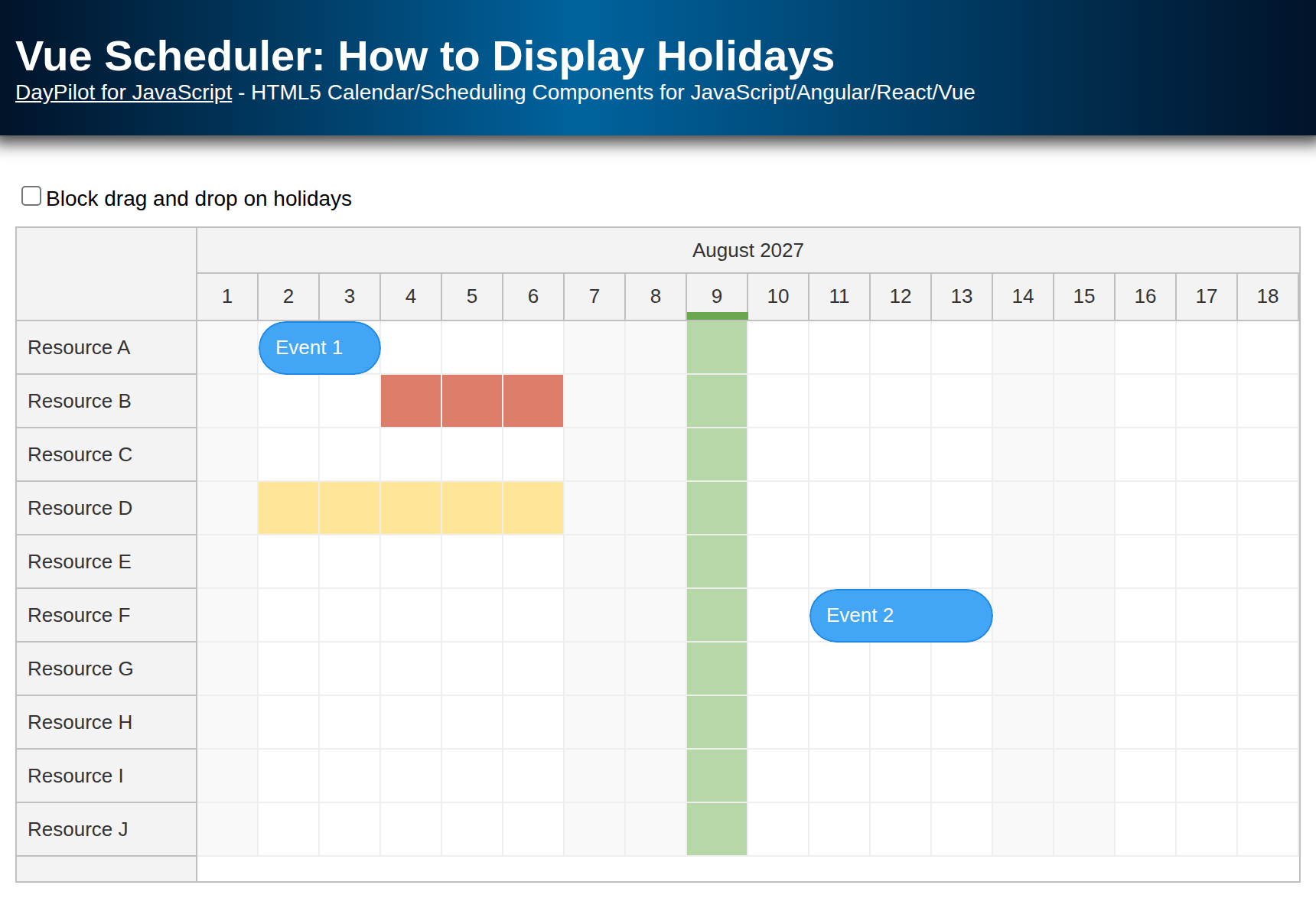
It displays global holidays that apply to all resources and resource-specific holidays that only apply to selected Scheduler rows.
When the holiday guard is enabled, the Scheduler prevents time range selection, event moving, and event resizing when the target range overlaps a holiday.
License
The sample project uses DayPilot Lite for JavaScript and is licensed under Apache License 2.0. Licensing information is included in the sample project.
Displaying Holidays in the Scheduler
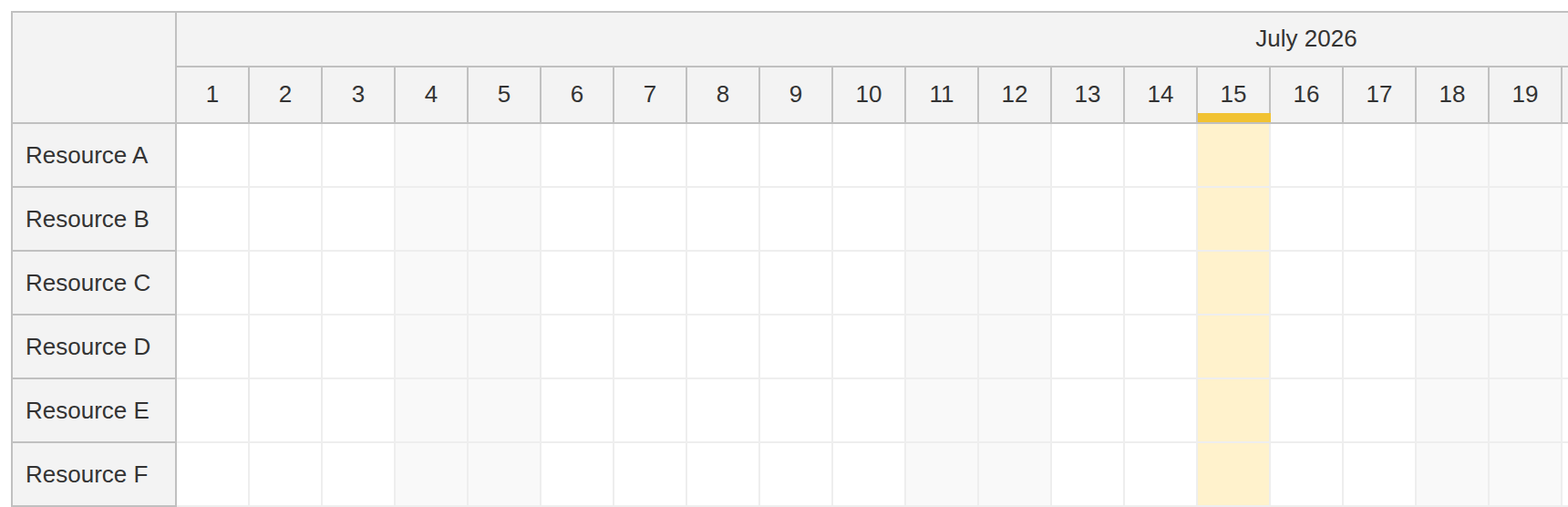
First, define the holiday data. The sample uses a static array for global holidays:
const app = {
  holidaysDisabled: false,
  globalHolidays: [
    {start: "2026-07-15", end: "2026-07-15", backColor: "#fff2cc", headerColor: "#f1c232"}
  ],
  // ...
};
Each item can represent a single day or a range of multiple days. The end date is stored as a date-only value, so the overlap check adds one day before comparing it with the Scheduler cell range.
In a typical web application, you would probably load the holiday data from the server instead of using a static array.
Before the Scheduler can use these ranges, the sample defines a small lookup helper. The stored end value is inclusive and date-only, so overlaps() adds one day before comparing the holiday with the Scheduler cell range:
overlaps(range, start, end) {
  const rangeStart = new DayPilot.Date(range.start);
  const rangeEnd = new DayPilot.Date(range.end).addDays(1);
  return DayPilot.Util.overlaps(rangeStart, rangeEnd, start, end);
},
findHoliday(holidays, start, end) {
  return holidays?.find((range) => app.overlaps(range, start, end));
},
Now we want to display the global holidays in the JavaScript Scheduler component. The sample uses onBeforeCellRender to customize the background color of matching cells:
onBeforeCellRender: (args) => {
  const holiday = app.findHoliday(app.globalHolidays, args.cell.start, args.cell.end);

  if (!holiday) {
    return;
  }

  args.cell.properties.backColor = holiday.backColor;
},
The handler is called once for every Scheduler grid cell. When a matching range is found, the cell background color is assigned using args.cell.properties.backColor.
The global holiday also defines headerColor, which the sample uses to add a small marker to the corresponding day header:
onBeforeTimeHeaderRender: (args) => {
  if (args.header.level !== 1) {
    return;
  }

  const holiday = app.findHoliday(app.globalHolidays, args.header.start, args.header.end);

  if (!holiday) {
    return;
  }

  args.header.areas = [
    {left: 0, right: 0, bottom: 0, height: 5, backColor: holiday.headerColor}
  ];
}
Resource-Specific Holidays
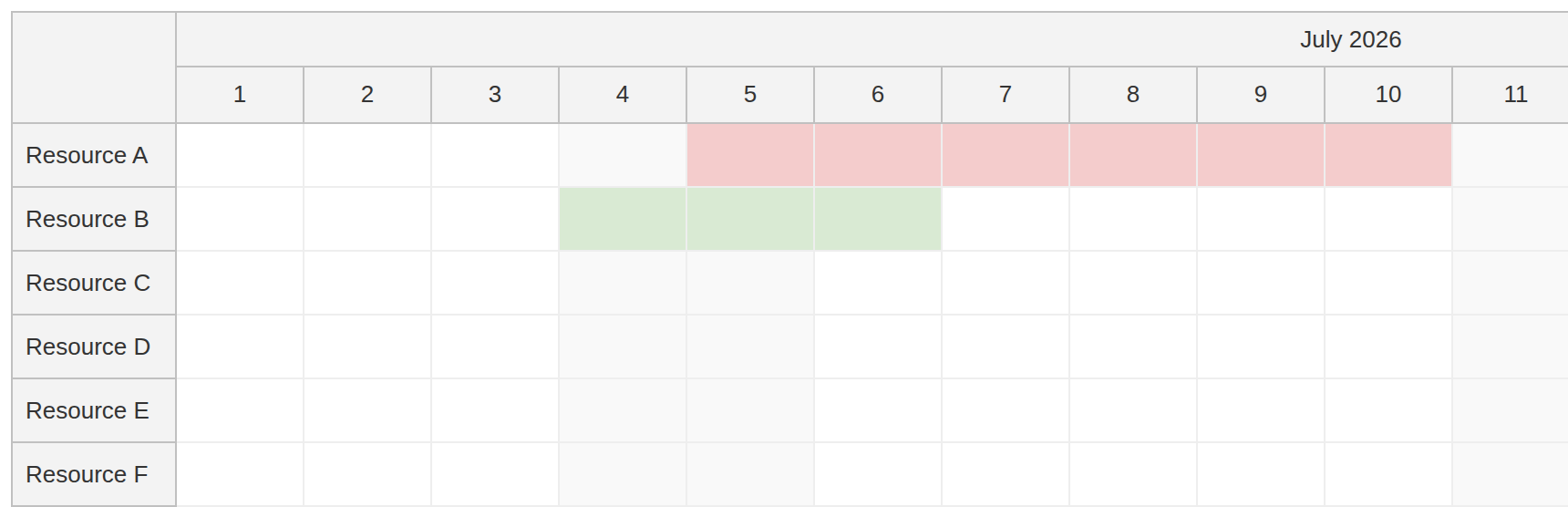
You can also define holidays that apply only to selected resources. In this case, the sample adds a custom holidays array to individual resource objects. The resource data defines the Scheduler rows:
const resources = [
  {name: "Resource A", id: "A", holidays: [
    {start: "2026-07-05", end: "2026-07-10", backColor: "#f4cccc"}
  ]},
  {name: "Resource B", id: "B", holidays: [
    {start: "2026-07-04", end: "2026-07-06", backColor: "#d9ead3"}
  ]},
  {name: "Resource C", id: "C"},
  {name: "Resource D", id: "D"},
  {name: "Resource E", id: "E"},
  {name: "Resource F", id: "F"},
  {name: "Resource G", id: "G"},
  {name: "Resource H", id: "H"},
  {name: "Resource I", id: "I"},
  {name: "Resource J", id: "J"}
];
The structure of each resource-specific holiday is the same as the global holiday structure. To apply these row-level ranges, extend the same onBeforeCellRender handler so it first checks the current row and then falls back to the global holiday list:
onBeforeCellRender: (args) => {
  const resourceHoliday = app.findHoliday(args.cell.row?.data.holidays, args.cell.start, args.cell.end);
  const globalHoliday = app.findHoliday(app.globalHolidays, args.cell.start, args.cell.end);
  const holiday = resourceHoliday || globalHoliday;

  if (!holiday) {
    return;
  }

  args.cell.properties.backColor = holiday.backColor;
},
This keeps the global and resource-specific checks in one place. The resource-specific color wins when both lists contain a holiday for the same cell.
Handling Disabled Holidays
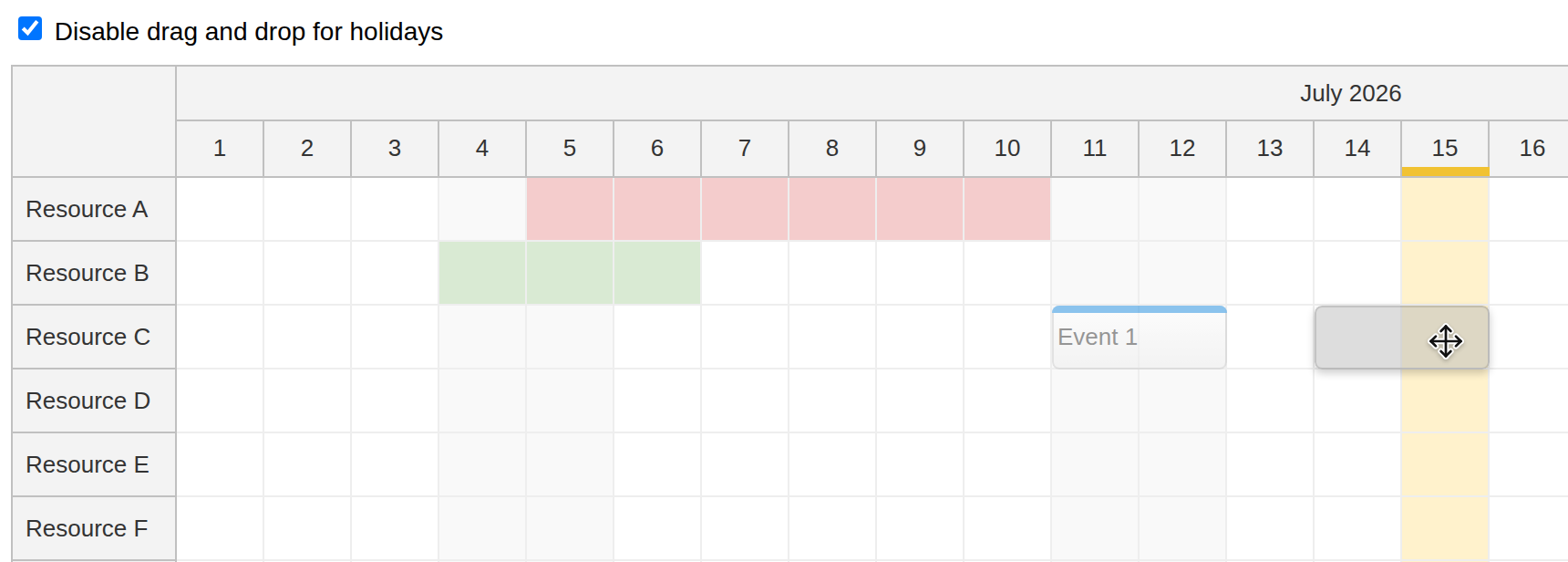
The Lite implementation uses event handlers to prevent user actions after the Scheduler reports the attempted range. The helper below returns a matching holiday only when the checkbox enables the guard:
overlapsWithHoliday(start, end, resource) {
  if (!app.holidaysDisabled) {
    return false;
  }

  const row = scheduler.rows.find(resource);
  const resourceHoliday = app.findHoliday(row?.data.holidays, start, end);
  const globalHoliday = app.findHoliday(app.globalHolidays, start, end);
  return resourceHoliday || globalHoliday;
},
The same helper is used in onTimeRangeSelect, onEventMove, and onEventResize. If the target range overlaps a holiday, the sample calls args.preventDefault() and displays a message:
onTimeRangeSelect: async (args) => {
  if (app.overlapsWithHoliday(args.start, args.end, args.resource)) {
    args.preventDefault();
    await DayPilot.Modal.alert("This range overlaps a holiday.");
    scheduler.clearSelection();
  }
},
eventMoveHandling: "Update",
onEventMove: async (args) => {
  args.async = true;
  if (app.overlapsWithHoliday(args.newStart, args.newEnd, args.newResource)) {
    await DayPilot.Modal.alert("This position overlaps a holiday.");
    args.preventDefault();
  }
  args.loaded();
},
eventResizeHandling: "Update",
onEventResize: async (args) => {
  args.async = true;
  if (app.overlapsWithHoliday(args.newStart, args.newEnd, args.e.resource())) {
    await DayPilot.Modal.alert("This position overlaps a holiday.");
    args.preventDefault();
  }
  args.loaded();
},
This approach keeps the sample compatible with DayPilot Lite. DayPilot Scheduler Pro also supports disabled cells, which can be marked during cell rendering. Disabled cells provide real-time feedback and block the action before the related selection, move, or resize handler runs.
Full Source Code
This is the full source code of src/app.js:
import {DayPilot} from "@daypilot/daypilot-lite-javascript";

const app = {
  holidaysDisabled: false,
  globalHolidays: [
    {start: "2026-07-15", end: "2026-07-15", backColor: "#fff2cc", headerColor: "#f1c232"}
  ],
  overlaps(range, start, end) {
    const rangeStart = new DayPilot.Date(range.start);
    const rangeEnd = new DayPilot.Date(range.end).addDays(1);
    return DayPilot.Util.overlaps(rangeStart, rangeEnd, start, end);
  },
  findHoliday(holidays, start, end) {
    return holidays?.find((range) => app.overlaps(range, start, end));
  },
  overlapsWithHoliday(start, end, resource) {
    if (!app.holidaysDisabled) {
      return false;
    }

    const row = scheduler.rows.find(resource);
    const resourceHoliday = app.findHoliday(row?.data.holidays, start, end);
    const globalHoliday = app.findHoliday(app.globalHolidays, start, end);
    return resourceHoliday || globalHoliday;
  },
  init() {
    const resources = [
      {name: "Resource A", id: "A", holidays: [
        {start: "2026-07-05", end: "2026-07-10", backColor: "#f4cccc"}
      ]},
      {name: "Resource B", id: "B", holidays: [
        {start: "2026-07-04", end: "2026-07-06", backColor: "#d9ead3"}
      ]},
      {name: "Resource C", id: "C"},
      {name: "Resource D", id: "D"},
      {name: "Resource E", id: "E"},
      {name: "Resource F", id: "F"},
      {name: "Resource G", id: "G"},
      {name: "Resource H", id: "H"},
      {name: "Resource I", id: "I"},
      {name: "Resource J", id: "J"}
    ];

    scheduler.update({resources, events: []});

    const disable = document.getElementById("disable");
    disable.addEventListener("change", () => {
      app.holidaysDisabled = disable.checked;
      scheduler.update();
    });
  }
};

const scheduler = new DayPilot.Scheduler("dp", {
  timeHeaders: [{groupBy: "Month"}, {groupBy: "Day", format: "d"}],
  scale: "Day",
  days: 31,
  startDate: "2026-07-01",
  rowHeaderWidth: 90,
  timeRangeSelectedHandling: "Enabled",
  onTimeRangeSelect: async (args) => {
    if (app.overlapsWithHoliday(args.start, args.end, args.resource)) {
      args.preventDefault();
      await DayPilot.Modal.alert("This range overlaps a holiday.");
      scheduler.clearSelection();
    }
  },
  onTimeRangeSelected: async (args) => {
    const modal = await DayPilot.Modal.prompt("Create a new event:", "Event 1");
    scheduler.clearSelection();
    if (modal.canceled) {
      return;
    }
    scheduler.events.add({
      start: args.start,
      end: args.end,
      id: DayPilot.guid(),
      resource: args.resource,
      text: modal.result
    });
  },
  eventMoveHandling: "Update",
  onEventMove: async (args) => {
    args.async = true;
    if (app.overlapsWithHoliday(args.newStart, args.newEnd, args.newResource)) {
      await DayPilot.Modal.alert("This position overlaps a holiday.");
      args.preventDefault();
    }
    args.loaded();
  },
  eventResizeHandling: "Update",
  onEventResize: async (args) => {
    args.async = true;
    if (app.overlapsWithHoliday(args.newStart, args.newEnd, args.e.resource())) {
      await DayPilot.Modal.alert("This position overlaps a holiday.");
      args.preventDefault();
    }
    args.loaded();
  },
  onBeforeCellRender: (args) => {
    const resourceHoliday = app.findHoliday(args.cell.row?.data.holidays, args.cell.start, args.cell.end);
    const globalHoliday = app.findHoliday(app.globalHolidays, args.cell.start, args.cell.end);
    const holiday = resourceHoliday || globalHoliday;

    if (!holiday) {
      return;
    }

    args.cell.properties.backColor = holiday.backColor;
  },
  onBeforeTimeHeaderRender: (args) => {
    if (args.header.level !== 1) {
      return;
    }

    const holiday = app.findHoliday(app.globalHolidays, args.header.start, args.header.end);

    if (!holiday) {
      return;
    }

    args.header.areas = [
      {left: 0, right: 0, bottom: 0, height: 5, backColor: holiday.headerColor}
    ];
  }
});

scheduler.init();
app.init();